Zooz smart switches are Z-Wave-based devices that enhance home lighting with advanced features like scene control, customizable LED indicators, and smart bulb mode, offering a reliable and cost-effective solution for home automation. These switches operate on a dedicated Z-Wave mesh network, ensuring greater reliability and range compared to Wi-Fi alternatives, and many models feature the latest Z-Wave Plus 700 or 800 series chipsets for top-tier performance. They are particularly noted for their compatibility with existing mechanical switches in 3-way and 4-way setups, simplifying installation and reducing costs.
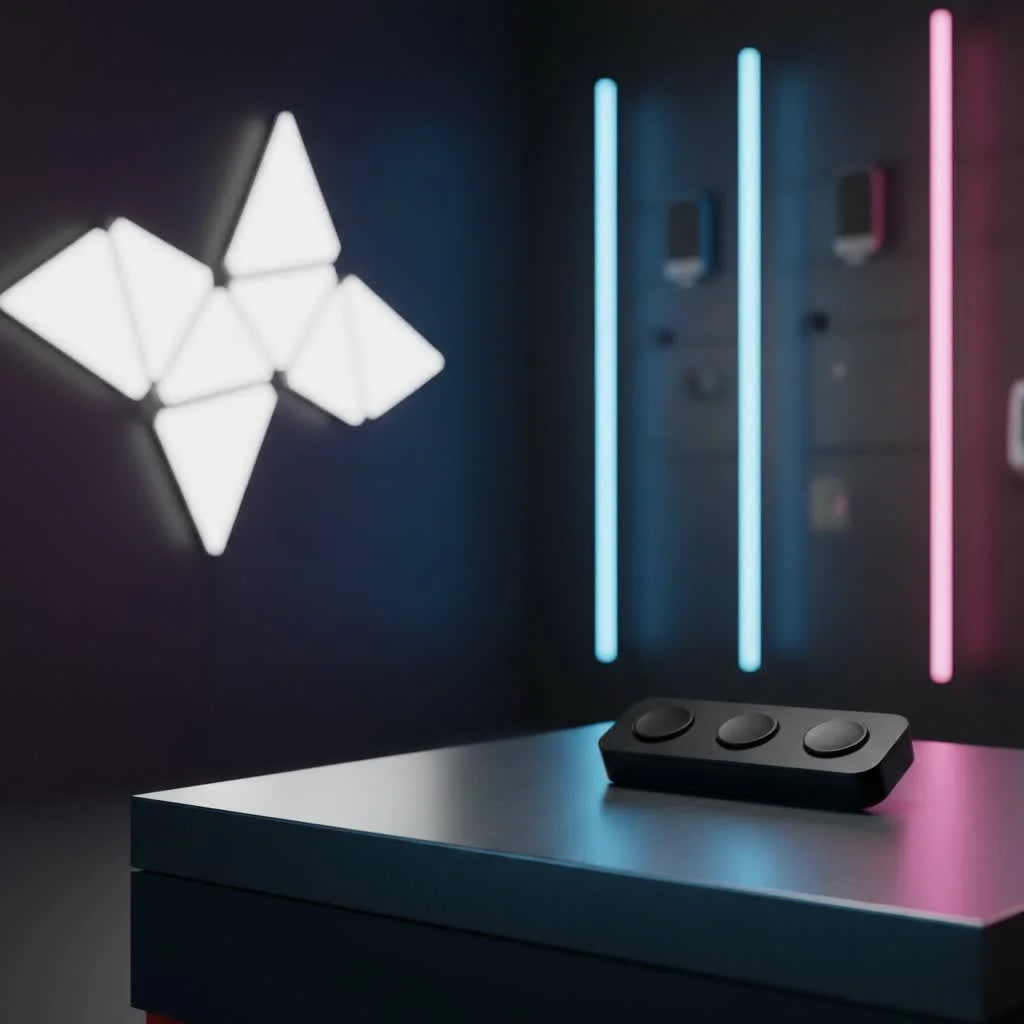
This isn’t just about turning lights on and off with your phone; it’s about creating a living space that anticipates your needs, saves energy, and simply makes life a little easier. Whether you’re a seasoned DIYer or just dipping your toes into home automation, I’m here to guide you through everything you need to know about these fantastic devices, from choosing the right model to seamless integration and even a few troubleshooting tricksLet’s dive in! For complete smart home library on this site.
Understanding Zooz Smart Switches: The Z-Wave Advantage
When we talk about Zooz smart switches, we’re primarily talking about Z-Wave technology. Unlike Wi-Fi switches that can sometimes hog your network bandwidth, Z-Wave operates on a different frequency, creating a robust, dedicated mesh network for your smart devices. This means greater reliability and range, especially in larger homes. Many Zooz models, like the popular ZEN71, often feature the latest Z-Wave Plus 700 or even 800 series chipsets, ensuring top-tier performance and security. These aren’t just basic on/off toggles; they’re the workhorses of a truly connected home, built to last and perform flawlessly.
One of the coolest things about a Zooz smart switch is its often premium feel. They click satisfyingly, integrate smoothly into modern decor, and truly feel like they’re built for the long haul. This dependability is a huge win for anyone serious about home automation.
Key Features You’ll Love
Zooz doesn’t skimp on features, even with their competitive pricing. Many Zooz smart switch models come packed with capabilities designed to enhance your smart home experience:
- Scene Control: Imagine a single tap turning on your “movie night” scene, dimming the lights, and closing the blinds. Many Zooz switches support multi-tap triggers, allowing you to activate different scenes with a double-tap, triple-tap, or even a held press.
- Customizable LED Indicators: No more guessing if a light is on in another room. Many Zooz switches feature subtle LED indicators that can often be customized in terms of color, brightness, and behavior, providing visual feedback on your lights or even indicating different statuses in your smart home system.
- Smart Bulb Mode: This is a major upgrade for anyone using smart bulbs. Instead of cutting power to your smart bulbs and making them unreachable, the Zooz smart switch can be configured to keep the power flowing constantly while still sending on/off and dimming commands through your hub. This way, your smart bulbs stay connected and responsive to app or voice commands.
Choosing Your Perfect Zooz Smart Switch: Models and Their Uses
Zooz offers a variety of smart switches and dimmers, each tailored for different needs. While models like the ZEN71 (on/off paddle switch) and ZEN74 (toggle dimmer) are popular, it’s worth familiarizing yourself with a few key considerations before making your choice.
Essential Pre-Installation Checks
|
Our Picks for the Best Smart Switch in 2026
As an Amazon Associate I earn from qualifying purchases.
|
||
| Num | Product | Action |
|---|---|---|
| 1 | Kasa Smart Switch 2-Gang HS200-2, Single Pole,Neutral Wire Required, 2.4GHz Wi-Fi Light Switch Compatible with Alexa and Google Home, UL Certified, No Hub Required, White |

|
| 2 | GHome Smart Switch, 3 Way Wi-Fi Light Switch Compatible with Alexa and Google Home, 2.4GHz Schedule Timer, Neutral Wire Required, 3-Way Installation, FCC Listed (4-Pack), White |
|
| 3 | Kasa Smart Dimmer Switch HS220P3, Single Pole, Needs Neutral Wire, 2.4GHz Wi-Fi Light Switch Works with Alexa and Google Home, UL Certified,, No Hub Required, 3-Pack |
|
| 4 | GHome Smart Switches for Lights, WiFi Smart Light Switch Works with Alexa and Google Home, Single-Pole, Neutral Wire Required, 2.4Ghz WiFi Light Switch with APP Control, No Hub Required, UL FCC Listed |
|
| 5 | TREATLIFE Smart Light Switch Single Pole Works with Alexa, Google Home and SmartThings, 2.4GHz WiFi Timer Smart Switch, Neutral Wire Required, No Hub Required, FCC Listed, 4 Pack |
|
| 6 | Leviton Decora Smart Switch, Wi-Fi 2nd Gen, Neutral Wire Required, Works with Matter, Alexa, Google Assistant, Apple Home/Siri & Wired or Wirefree 3-Way, D215S-1RW, White |
|
| 7 | Lutron Caseta 3 Way Smart Dimmer Light Switch Kit, Includes Pico Remote, Bracket, and LED Dimmer Switch, No Neutral Required, P-PKG1WB-WH |
|
| 8 | Kasa Matter Smart Light Switch: Voice Control w/Siri, Alexa & Google Assistant, UL Certified, Timer & Schedule, Easy Guided Install, Neutral Wire Required, Single Pole, 2.4GHz Wi-Fi, 3-Pack |
|
| 9 | Kasa Smart Light Switch HS200P3, Single Pole, Needs Neutral Wire, 2.4GHz Wi-Fi Light Switch Compatible with Alexa and Google Home, UL Certified, No Hub Required, 3 Count -Pack of 1 , White |
|
| 10 | HALO Pure Smart Wi-Fi Dimmer Switch for Traditional Non-Smart Lighting, Connected by WiZ Pro, Hardwired 120V - SWW-DIM-WH |
|
Before you even think about buying a Zooz smart switch, there are two crucial things to check in your existing electrical setup:
- Neutral Wire: Almost all Zooz smart switches require a neutral wire for installation. This is a common requirement for many smart switches, but it’s essential to verify you have one in your switch box. A neutral wire is typically white and will be bundled with other white wires. If you’re unsure, consult a licensed electrician.
- Load Compatibility: While Zooz switches are compatible with most incandescent and high-quality dimmable LED bulbs, there are some important exclusions.
- Not Recommended: Avoid using Zooz switches with CFL tube lights, ballasts, or halogen bulbs, as these can produce high inrush currents that damage the switch. Also, be wary of low-quality LED bulbs from brands known to cause issues.
- Fans and Motors: Most standard Zooz switches are not rated for inductive motor loads like ceiling fans, as these can cause power spikes. For fans or heavy-duty appliances, you might need specific models like the ZEN75 Heavy Duty Switch or the relay part of the ZEN30 Double Switch.
“Ensuring you have a neutral wire and compatible load is the most critical first step for a smooth installation,” advises Alex QMSIT, a seasoned smart home integration specialist. “It saves a lot of headaches down the line.”
Step-by-Step Installation: Getting Your Zooz Smart Switch Ready
Installing a Zooz smart switch is often a straightforward DIY project, but safety and correct wiring are paramount. If you ever feel unsure, please call a licensed electrician.
Safety First!
Always begin by turning off the power to the light switch at your circuit breaker. Use a non-contact voltage tester to double-check that the power is indeed off before touching any wires.
Wiring Basics
Most Zooz switches have terminals for:
- Line (Hot): The incoming power from your breaker.
- Load: The wire going out to your light fixture.
- Neutral: The common return path for electricity (typically white).
- Ground: For safety (bare copper or green).
Each Zooz switch comes with a detailed manual and wiring diagrams. Follow them precisely for your specific model and setup.
Mastering Multi-Way Setups (3-Way & 4-Way)
This is where Zooz truly shines for many users. Unlike some brands that require expensive “add-on” switches, many Zooz smart switches are designed to work seamlessly with your existing, mechanical “dumb” switches in 3-way (two switches controlling one light) or 4-way (three or more switches controlling one light) configurations. This can save you a significant amount of money and simplify wiring.
Important Note: When using a Zooz switch with dumb switches, ensure the mechanical switches are standard on/off types without any LED indicators or dimming functionality. Never mix a Zooz switch with another brand’s smart add-on switch.
For setups where you want multiple smart switches controlling the same light, Zooz also supports “virtual” 3-way or 4-way installations using Z-Wave associations. These require different wiring than mechanical setups, typically just providing constant power to the secondary Zooz switches, with control handled wirelessly through your smart home hub. Always refer to QMSIT’s knowledge base or Zooz’s support for specific diagrams for virtual installations, as they differ from the basic manual.
Seamless Integration: Connecting Zooz with Your Smart Home Hub
A Zooz smart switch truly comes alive when integrated with a compatible Z-Wave hub. Most Zooz devices work with popular platforms like Home Assistant, SmartThings, and Hubitat.
Z-Wave Pairing Process
- Exclusion First: Even new switches might have remnant Z-Wave network data from factory testing. It’s a good practice to put your hub into “exclusion mode” and perform the exclusion sequence (usually a quick triple-tap on the bottom paddle) on the switch. The switch’s LED often confirms a successful exclusion.
- Inclusion (Pairing): Put your Z-Wave hub into “inclusion mode” (or “add device” mode). Then, perform the inclusion sequence on your Zooz switch (typically a quick triple-tap on the top paddle). Place the switch relatively close to your hub for initial pairing.
- Configure Settings: Once paired, explore your hub’s device settings or “parameters” for the Zooz switch. This is where you can enable Smart Bulb Mode, adjust LED behavior, set up multi-tap scene controls, and fine-tune various advanced functionalities.
If you run into pairing difficulties, try performing an exclusion first. Sometimes, moving the switch closer to the hub or using a Z-Wave repeater can also help strengthen the signal for successful inclusion.
Troubleshooting Common Zooz Smart Switch Issues
Even the most reliable tech can have its quirks. Here are some common issues you might encounter with your Zooz smart switch and how to tackle them:
- Switch Unresponsive After Install:
- Resolution: First, try cycling power at the breaker for 10 seconds. If the LED doesn’t light up with a paddle press, there might be a wiring issue. If the LED is on, a factory reset (refer to your specific model’s manual for the sequence, often a 5-tap on the bottom paddle) can resolve a frozen state.
- Light Rapidly Clicks On/Off or Only Works in One Dumb Switch Position:
- Resolution: This is a classic sign of incorrect wiring, especially in 3-way setups. Immediately turn off the power and double-check your wiring against the manual’s diagrams. Ensure traveler wires are correctly identified and connected.
- Switch Won’t Pair with Hub:
- Resolution: Always try a Z-Wave exclusion first, even for new devices. Ensure your hub is in inclusion mode and the switch is close enough to the hub during the process. Z-Wave networks benefit from being built outwards from the hub. If you have many devices, a Z-Wave repeater can help.
- Lights Flicker or Don’t Dim Correctly:
- Resolution: Verify that your bulbs are dimmable LEDs or incandescents and meet the minimum wattage requirements of your dimmer. Ensure you are not using incompatible load types.
- Paddle Control Stopped Working (but app control is fine):
- Resolution: You might have accidentally enabled “Smart Bulb Mode” (or a similar setting) that disables local paddle control. Check your switch’s advanced parameters in your smart home hub and adjust the “paddle control” or “smart bulb mode” setting.
For persistent issues, QMSIT’s extensive knowledge base and Zooz’s support channels are excellent resources.
Zooz vs. The Competition: Why Choose Zooz?
In the crowded smart switch market, Zooz has carved out a strong niche. When comparing a Zooz smart switch to other popular brands, you’ll find some compelling reasons to choose them:
- Affordability & Value: Zooz consistently offers excellent features and reliability at a more competitive price point than many premium brands. This makes them a fantastic choice for outfitting an entire home.
- Z-Wave Reliability: As a Z-Wave focused brand, Zooz leverages a stable, dedicated mesh network that often outperforms Wi-Fi-based solutions in terms of consistency and range.
- Dumb Switch Compatibility for Multi-Way: This is a major differentiator. The ability to use existing mechanical switches in 3-way and 4-way setups significantly reduces costs and simplifies installation compared to brands that require proprietary add-on switches (like some GE or Leviton models).
- Feature-Rich: From scene control and multi-tap functionality to smart bulb modes and customizable LEDs, Zooz switches offer a robust set of features.
- Strong Community Support: Zooz devices are popular among DIY smart home enthusiasts, leading to a wealth of community-driven support and custom device handlers for platforms like Home Assistant and Hubitat.
While brands like Inovelli might offer more advanced, visually striking LED light bars for intricate status indications, Zooz provides a solid, dependable, and highly functional smart switch for the vast majority of smart home needs. For those seeking a balance of cost-effectiveness, robust Z-Wave performance, and flexible multi-way wiring, a Zooz smart switch is tough to beat.
Maximizing Your Smart Home with Zooz Automation Tips
Once your Zooz smart switch is installed and paired, the real fun begins: automation!
- Personalized Scenes: Use the multi-tap features to create “Good Morning” scenes that gradually brighten lights or “Away” scenes that turn off everything and arm your security.
- Presence-Based Lighting: Integrate with motion sensors or your phone’s location to have lights turn on automatically when you enter a room and off when you leave.
- Energy Savings: Schedule lights to turn off at specific times or dim automatically based on natural light levels. The “auto turn off timer” feature found in many Zooz switches can be invaluable for closets or utility rooms.
- Voice Control: Connect your Z-Wave hub to voice assistants like Alexa or Google Home for hands-free control of your lights.
Embrace the power of your Zooz smart switch to craft a home that works for you, effortlessly and efficiently.
Conclusion
The journey into smart home automation is an exciting one, and the Zooz smart switch stands as a reliable, feature-packed, and accessible cornerstone for any connected home. With over a decade in this field, I’ve seen firsthand how these devices transform everyday living, bringing convenience, security, and energy efficiency within reach. From simplifying complex multi-way wiring with existing mechanical switches to offering advanced controls like Smart Bulb Mode, Zooz provides robust solutions for modern homeowners.
By understanding the Z-Wave advantage, carefully considering installation requirements like the neutral wire, and leveraging their diverse feature set, you can confidently integrate Zooz into your smart ecosystem. At QMSIT, we believe in empowering you with the knowledge to make smart, safe, and effective upgrades to your home. So, take the leap, explore the possibilities, and experience the unparalleled control a Zooz smart switch brings to your fingertips. Your smarter home awaits!
Frequently Asked Questions
What makes Zooz smart switches a good choice for smart homes?
Zooz smart switches are a good choice due to their use of Z-Wave technology, which provides a dedicated and reliable mesh network, superior to many Wi-Fi alternatives. They offer advanced features like scene control and smart bulb mode, and are often more affordable than competing brands, making them ideal for comprehensive home integration.
Do Zooz smart switches require a neutral wire for installation?
Yes, almost all Zooz smart switches require a neutral wire for installation. This is a common requirement for many smart switches to ensure proper power delivery and functionality. Always verify the presence of a neutral wire (typically white) in your switch box before purchasing or installing.
Can Zooz smart switches work with existing 'dumb' switches in multi-way setups?
Yes, many Zooz smart switches are designed to work seamlessly with existing mechanical 'dumb' switches in 3-way and 4-way configurations. This significantly reduces installation costs and complexity compared to brands that require proprietary add-on switches. Ensure the mechanical switches are standard on/off types without dimming or LED indicators.
What is Smart Bulb Mode on a Zooz smart switch?
Smart Bulb Mode is a feature that allows a Zooz smart switch to keep power flowing constantly to smart bulbs while still sending on/off and dimming commands through your smart home hub. This ensures your smart bulbs remain connected and responsive to app or voice commands, preventing them from becoming unreachable when the switch is off.
Which smart home hubs are compatible with Zooz smart switches?
Zooz smart switches are primarily Z-Wave devices, making them compatible with popular Z-Wave hubs such as Home Assistant, SmartThings, and Hubitat. These hubs allow for seamless integration, advanced configuration, and automation of your Zooz switches within your broader smart home ecosystem.
What should I do if my Zooz smart switch isn't pairing with my hub?
If your Zooz smart switch isn't pairing, first try a Z-Wave exclusion, even for new devices, as they might retain factory test data. Ensure your hub is in inclusion mode and the switch is placed relatively close to the hub during the pairing process. Using a Z-Wave repeater can also help strengthen the signal for successful inclusion in larger homes.
Install a Zooz Smart Switch
This guide outlines the steps to safely install and integrate a Zooz smart switch into your smart home system, from pre-installation checks to Z-Wave pairing.
Before purchasing or installing, verify your existing electrical setup has a neutral wire (typically white) in the switch box. Also, confirm load compatibility, avoiding CFL tube lights, ballasts, halogen bulbs, and most inductive motor loads like ceiling fans, which can damage the switch.
Always turn off power at the circuit breaker and use a non-contact voltage tester to confirm the power is off. Connect the Line (hot), Load, Neutral, and Ground wires to the appropriate terminals on your Zooz switch, following the detailed manual and wiring diagrams for your specific model.
For 3-way or 4-way configurations, Zooz switches can work with existing mechanical 'dumb' switches. Ensure these mechanical switches are standard on/off types without dimming or LED indicators. For virtual multi-way setups using Z-Wave associations, refer to QMSIT's knowledge base or Zooz support for specific wiring diagrams.
First, perform a Z-Wave exclusion on the switch (usually a triple-tap on the bottom paddle) to clear any remnant data. Then, put your Z-Wave hub into 'inclusion mode' and perform the inclusion sequence on the Zooz switch (typically a triple-tap on the top paddle), placing it close to the hub for initial pairing.
Once paired, access your hub's device settings or 'parameters' for the Zooz switch. Here, you can enable features like Smart Bulb Mode, adjust LED behavior, set up multi-tap scene controls, and fine-tune other advanced functionalities to customize your smart lighting experience.
Smart home that does not lock you in
Free PDF — protocol compatibility matrix for 30 hubs and devices.

Finally, a smart switch that just works! I was tired of my old smart lights constantly disconnecting. The Zooz Z-Wave switches have been incredibly reliable, and the range is fantastic throughout my house. It’s so convenient to control everything from my phone, and I’m even saving a bit on energy. A truly cost-effective solution.
These Zooz switches are pretty solid. I appreciate the Z-Wave mesh network for reliability; I’ve had issues with Wi-Fi devices dropping off before. The customizable LED indicators are a nice touch, though it took me a bit to get them set up exactly how I wanted. Overall, a good investment for home automation, especially with the 700 series chipset.
I got a few of these Zooz switches for my kitchen. While the smart bulb mode is useful, I found the installation a little more complicated than I expected, even with the compatibility for 3-way setups. It wasn’t terrible, but definitely not as plug-and-play as some other smart devices I’ve used. They work fine now, but the initial setup was a bit of a headache.
I’ve been slowly upgrading my home, and the Zooz smart switches were a game-changer for my living room. The scene control feature is amazing for movie nights or just winding down. I love that they work with my existing mechanical switches in the 3-way setup, which saved me a ton of hassle and extra wiring. Definitely recommend for anyone looking to simplify their lighting.