Integrating a smart switch for a ceiling fan offers significant everyday convenience, transforming how you control your home’s climate. These advanced wall-mounted controllers replace traditional switches, enabling wireless management of fan speed and often integrated light control via smartphone apps, voice commands, or automated schedules. This upgrade enhances comfort, improves energy efficiency by ensuring fans run only when needed, and seamlessly integrates with other smart home devices, making it a foundational step towards an intuitive smart home.
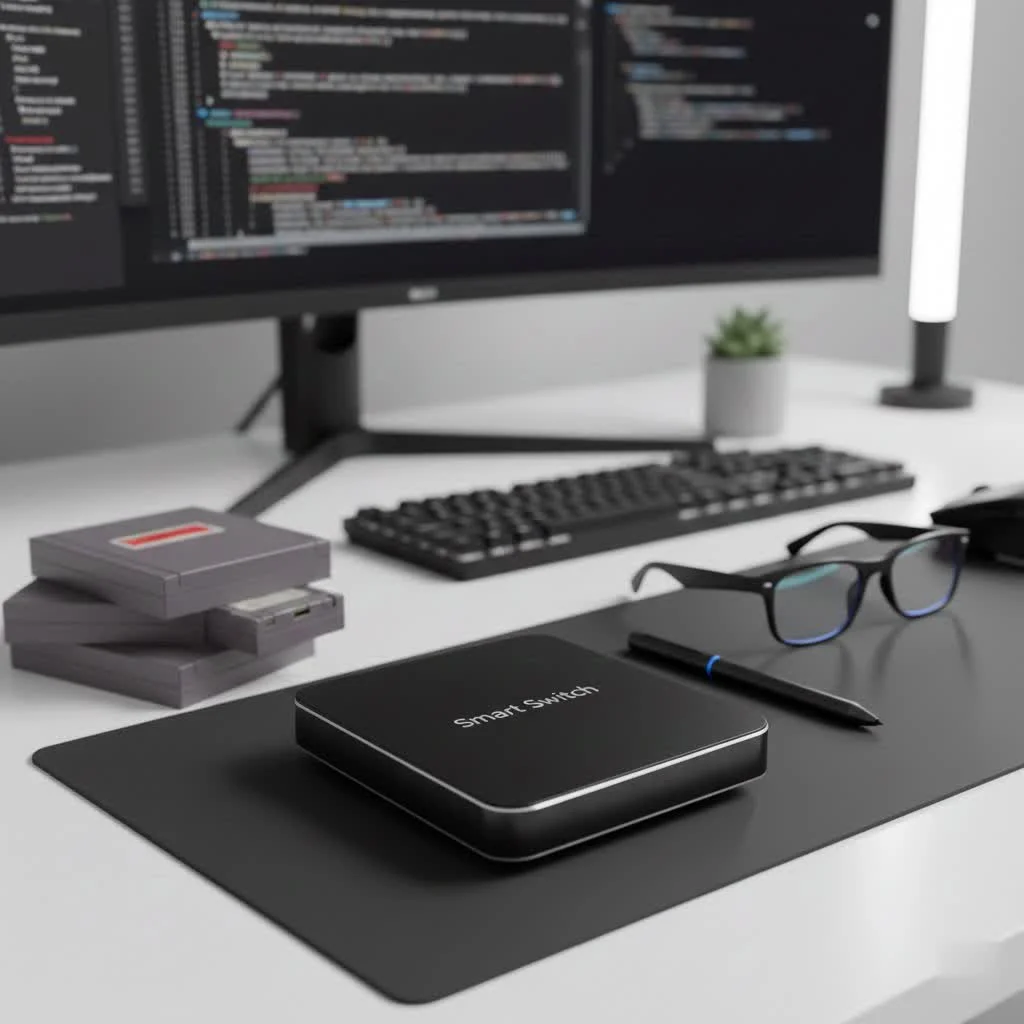
What is a Smart Switch for a Ceiling Fan and Why Do You Need One?
A smart switch for a ceiling fan is essentially an advanced wall-mounted controller that replaces your traditional fan switch, allowing you to manage your ceiling fan’s operation wirelessly. Beyond simple on/off functionality, these switches typically offer multi-speed control and often include integrated light control or dimming capabilities for fans with light kits.
The benefits of upgrading to a smart switch are compelling:
- Unparalleled Convenience: Control your fan from anywhere using a smartphone app, voice commands via virtual assistants like Alexa or Google Assistant, or even automated schedules. Imagine turning your fan on before you arrive home on a hot day or adjusting the speed from the comfort of your bed.
- Enhanced Energy Efficiency: Smart switches empower you to set precise schedules and timers, ensuring your fan only runs when needed. Some can even integrate with smart thermostats to optimize air circulation, potentially reducing your cooling costs.
- Seamless Smart Home Integration: A smart switch for a ceiling fan becomes another intelligent node in your interconnected home, working harmoniously with other smart devices to create a cohesive automation ecosystem.
- Personalized Comfort: Tailor fan speeds and lighting levels to your exact preferences for different activities or times of day, creating the perfect ambiance for relaxation, work, or sleep.
As Sarah Jenkins, a seasoned smart home integration specialist at QMSIT.com, often says, “A smart switch for a ceiling fan isn’t just about controlling a fan; it’s about reclaiming comfort and efficiency in your daily life. It’s a foundational step towards a truly intuitive home.”
Understanding Compatibility: Will a Smart Switch Work with Your Ceiling Fan?
Before diving into installation, it’s crucial to understand if your existing ceiling fan and home wiring are compatible with a smart switch. Compatibility often hinges on a few key factors:
Crucial Wiring: The Neutral Wire Requirement
Most smart switches, including those designed for ceiling fans, require a neutral wire in your electrical box. The neutral wire (typically white or gray) provides a constant power source for the smart switch’s internal electronics. Without it, many smart switches simply won’t function. If your home is older and lacks a neutral wire at the switch box, you might need an electrician to run one, or you’ll need to seek out specific no-neutral smart switch models, though these are less common for fan speed control.
Fan Types: AC Motors vs. DC Motors
|
Our Picks for the Best Smart Switch in 2026
As an Amazon Associate I earn from qualifying purchases.
|
||
| Num | Product | Action |
|---|---|---|
| 1 | GHome Smart Switches for Lights, WiFi Smart Light Switch Works with Alexa and Google Home, Single-Pole, Neutral Wire Required, 2.4Ghz WiFi Light Switch with APP Control, No Hub Required, UL FCC Listed |

|
| 2 | TREATLIFE Smart Light Switch Single Pole Works with Alexa, Google Home and SmartThings, 2.4GHz WiFi Timer Smart Switch, Neutral Wire Required, No Hub Required, FCC Listed, 4 Pack |
|
| 3 | Kasa Smart Dimmer Switch HS220P3, Single Pole, Needs Neutral Wire, 2.4GHz Wi-Fi Light Switch Works with Alexa and Google Home, UL Certified,, No Hub Required, 3-Pack |
|
| 4 | Lutron Caseta 3 Way Smart Dimmer Light Switch Kit, Includes Pico Remote, Bracket, and LED Dimmer Switch, No Neutral Required, P-PKG1WB-WH |
|
| 5 | Kasa Matter Smart Light Switch: Voice Control w/Siri, Alexa & Google Assistant, UL Certified, Timer & Schedule, Easy Guided Install, Neutral Wire Required, Single Pole, 2.4GHz Wi-Fi, 3-Pack |
|
| 6 | GHome Smart Switch, 3 Way Wi-Fi Light Switch Compatible with Alexa and Google Home, 2.4GHz Schedule Timer, Neutral Wire Required, 3-Way Installation, FCC Listed (4-Pack), White |
|
| 7 | Kasa Smart Light Switch HS200P3, Single Pole, Needs Neutral Wire, 2.4GHz Wi-Fi Light Switch Compatible with Alexa and Google Home, UL Certified, No Hub Required, 3 Count -Pack of 1 , White |
|
| 8 | Leviton Decora Smart Switch, Wi-Fi 2nd Gen, Neutral Wire Required, Works with Matter, Alexa, Google Assistant, Apple Home/Siri & Wired or Wirefree 3-Way, D215S-1RW, White |
|
| 9 | Kasa Smart Switch 2-Gang HS200-2, Single Pole,Neutral Wire Required, 2.4GHz Wi-Fi Light Switch Compatible with Alexa and Google Home, UL Certified, No Hub Required, White |
|
| 10 | HALO Pure Smart Wi-Fi Dimmer Switch for Traditional Non-Smart Lighting, Connected by WiZ Pro, Hardwired 120V - SWW-DIM-WH |
|
The vast majority of traditional ceiling fans use AC (alternating current) motors, which are generally compatible with smart fan switches. However, some newer, more energy-efficient fans utilize DC (direct current) motors. Smart switches designed for AC motors are not compatible with DC motor fans, as DC fans usually come with their own proprietary remote control systems. Always check your fan’s specifications.
Existing Controls: Pull Chains vs. Integrated Remotes
If your ceiling fan is controlled by a simple pull chain for speed and/or light, a smart switch is typically an excellent upgrade. When installing, you’ll generally set the fan’s pull chain to its highest speed and leave it there, with the smart switch handling all future speed adjustments. If your fan has an existing integrated remote control system (where the receiver is built into the fan canopy), a standard smart switch might not be compatible as it could interfere with the fan’s internal electronics. In such cases, you might consider a universal smart fan remote receiver that installs directly into the fan canopy.
Single-Pole vs. 3-Way Setups
Most ceiling fan switches are single-pole, meaning they control the fan from one location. Many smart switches are designed for single-pole installations. If your fan is controlled from two or more wall switches (a 3-way or multi-way setup), you’ll need a smart switch specifically designed for multi-location control, often requiring a companion switch or a wireless Pico remote at the other locations.
Types of Smart Switches for Ceiling Fans: Finding Your Perfect Match
The market offers a variety of smart switches for ceiling fans, each with distinct features and connectivity options:
Wi-Fi Smart Switches: Simplicity and Direct Connection
These switches connect directly to your home’s 2.4GHz Wi-Fi network, eliminating the need for a separate smart home hub. They are often easy to install and set up through a dedicated smartphone app. Brands like Treatlife, Kasa Smart (TP-Link), and some MOES models offer reliable Wi-Fi solutions for controlling your fan’s speed and light. Their hub-free nature makes them a popular choice for straightforward upgrades.
Zigbee & Z-Wave Smart Switches: Robust Networks
For homes with multiple smart devices, Zigbee or Z-Wave switches offer a dedicated mesh network, providing greater reliability and potentially faster response times compared to Wi-Fi. These switches require a compatible smart home hub (like SmartThings, Hubitat, or Wink) to function. Brands such as GE Enbrighten and Honeywell offer robust Z-Wave options, while Aqara provides Zigbee solutions. While they involve an additional hub, the stability and scalability of these networks can be a significant advantage.
Fan-Only Switches vs. Fan & Light Combo Switches
You’ll find smart switches that solely control the fan’s speed, ideal if your fan doesn’t have a light or if its light is on a separate switch. More commonly, there are fan and light combo switches. These devices typically offer multi-speed control for the fan and a separate on/off or dimming control for the fan light, all within a single wall plate. Lutron Caseta offers a popular fan-only speed control, while options like the Treatlife 2-in-1 Smart Ceiling Fan Control combine both functions effectively.
Top Brands to Consider
When choosing a smart switch for a ceiling fan, consider brands known for their reliability and smart home ecosystem compatibility:
- Lutron Caseta: Renowned for stability and seamless integration with major voice assistants and HomeKit.
- GE Cync / Enbrighten: Offers both Wi-Fi and Z-Wave options, known for solid performance and wide compatibility.
- Kasa Smart (TP-Link): A popular choice for Wi-Fi-only devices, offering user-friendly apps and good value.
- Treatlife / MOES: Provide feature-rich, often budget-friendly Wi-Fi switches with excellent app control.
Step-by-Step Installation: Making Your Ceiling Fan Smart
Installing a smart switch for your ceiling fan can be a rewarding DIY project, but it requires careful attention to safety and wiring.
Safety First: Essential Precautions
Always turn off the power at your circuit breaker before touching any electrical wiring. Double-check that the power is off using a non-contact voltage tester. If you’re uncomfortable at any point, do not hesitate to call a qualified electrician. Your safety is paramount.
Gather Your Tools
You’ll typically need:
- Screwdrivers (Phillips and flathead)
- Wire strippers
- Wire nuts (often included with the switch)
- Electrical tape
- Non-contact voltage tester
Wiring Your Smart Switch: A Detailed Guide
- Turn Off Power: Go to your electrical panel and turn off the circuit breaker that supplies power to the fan switch you’re replacing.
- Remove Old Switch: Unscrew and carefully pull your existing wall plate and switch out from the electrical box.
- Identify Wires: Before disconnecting anything, carefully label each wire. Common wires you’ll find include:
- Line (Hot): Typically black, brings power to the switch.
- Load (Fan): Often black or red, carries power from the switch to the fan.
- Neutral: White or gray, required for most smart switches.
- Ground: Bare copper or green, for safety.
- If you have a separate light control, there will be an additional load wire for the light.
- Disconnect Old Switch: Carefully disconnect the wires from your old switch.
- Connect New Smart Switch: Follow the specific wiring diagram provided with your new smart switch. Generally, you will connect:
- The smart switch’s Line wire to your home’s Line wire.
- The smart switch’s Load (Fan) wire to your home’s Load (Fan) wire.
- The smart switch’s Neutral wire to your home’s Neutral bundle.
- The smart switch’s Ground wire to your home’s Ground wire.
- If it’s a fan and light combo switch, connect the Load (Light) wire accordingly.
- Secure all connections with wire nuts and electrical tape.
- Secure Switch: Gently fold the wires and push the new smart switch back into the electrical box. Screw it into place and attach the new wall plate.
- Restore Power: Turn the circuit breaker back on.
App Setup and Pairing
Once wired, download the manufacturer’s app (e.g., Cync, Kasa, Lutron, Smart Life). The app will guide you through connecting your new smart switch for ceiling fan to your Wi-Fi network or smart home hub and then pairing it. This usually involves putting the switch into pairing mode (often by holding a button) and following the on-screen prompts.
Integrating Your Smart Fan Switch into Your Smart Home Ecosystem
The real magic of a smart switch for a ceiling fan unfolds when it integrates with your broader smart home setup.
Voice Assistants (Alexa, Google Assistant, Siri)
Link your smart switch’s app or hub to your preferred voice assistant. Once connected, simple commands like “Alexa, set the living room fan to medium” or “Hey Google, turn on the bedroom fan” become your new norm. For Apple users, Lutron Caseta offers excellent HomeKit compatibility, allowing Siri control.
Smart Home Hubs
If you’ve chosen a Zigbee or Z-Wave smart switch, your central smart home hub will be the brain of the operation. This hub allows different brands and communication protocols to work together, offering advanced automation possibilities.
Creating Scenes and Schedules
Use your smart home app to create custom scenes and schedules. For instance:
- “Good Morning” Scene: Your bedroom fan turns off, lights slowly brighten, and blinds open.
- “Evening Chill” Schedule: Your living room fan automatically turns on to a low setting 30 minutes before you typically arrive home.
- “Away” Routine: Fans and lights turn off when you leave the house.
Troubleshooting Common Smart Ceiling Fan Switch Issues
Even with the best smart tech, occasional glitches can happen. Here’s how to tackle common problems with your smart switch for a ceiling fan:
Fan Not Responding to Commands
- Check Power: Ensure the circuit breaker is on and the physical switch is in the “on” position (for pull-chain fans, ensure the chain is set to the highest speed).
- App/Voice Assistant Connection: Verify the switch is online in its app and properly linked to your voice assistant. Try unlinking and relinking if needed.
- Wi-Fi/Hub Connection: Confirm your Wi-Fi network is active and strong, or that your smart home hub is online and communicating with the switch.
Light Control Problems
- Separate Wiring: If you have a fan and light combo switch, ensure both the fan and light load wires are correctly connected to the switch’s respective terminals.
- Bulb Compatibility: Ensure your fan’s light bulbs are compatible with the smart switch’s dimming capabilities (if applicable). Some LED bulbs require specific dimmers.
- Power Cycle: Turn off power at the breaker for a minute, then turn it back on.
Connectivity Glitches (Wi-Fi, Hub)
- Router Position: If using Wi-Fi, ensure your router is not too far from the switch or obstructed by thick walls. Consider a Wi-Fi extender.
- 2.4GHz Network: Confirm your smart switch is connected to a 2.4GHz Wi-Fi network, as most do not support 5GHz.
- Reset/Re-pair: As a last resort, factory reset the smart switch and go through the pairing process again. Consult your manual for specific reset instructions.
Voice Commands Not Working
- Command Phrasing: Ensure you are using the correct and exact commands recognized by your voice assistant (e.g., “set fan speed to 2” vs. “turn fan on low”).
- Device Naming: Check that the fan’s name in your smart home app matches what you’re saying to your voice assistant.
- Skill/Action Enabled: Verify that the smart switch’s corresponding skill or action is enabled in your Alexa or Google Home app.
“From our experience at QMSIT.com, almost every troubleshooting issue with a smart switch for a ceiling fan boils down to either a wiring detail, network connectivity, or app-to-assistant linking,” explains QMSIT’s lead technician, David Chen. “A systematic approach to checking these three areas will resolve most problems quickly.”
FAQ
Can I use a dimmer switch for my ceiling fan?
No, generally you should never use a standard light dimmer switch to control a ceiling fan’s speed, as this can damage the fan motor and pose a fire risk. Always use a dedicated smart fan speed control switch that is designed for ceiling fans.
Do I need an electrician to install a smart fan switch?
If you’re comfortable with basic electrical wiring and can safely identify wires, it can be a DIY project. However, if you’re unsure about any step, particularly identifying wires or if you lack a neutral wire, it’s always best to hire a qualified electrician for safety and proper installation.
What if my old home doesn’t have a neutral wire?
If your electrical box lacks a neutral wire, you have a few options:
- Run a neutral wire: This usually requires an electrician.
- Seek no-neutral switches: A limited number of smart switches are designed to work without a neutral wire, but they are less common for fan speed control and may have limitations.
Can I control multiple ceiling fans with one smart switch?
Typically, one smart switch controls one ceiling fan. If you have multiple fans, each will require its own smart switch. However, you can group these switches in your smart home app to control them simultaneously with a single command or schedule.
Is a smart fan switch worth it?
Absolutely. For the enhanced convenience, improved energy efficiency, and seamless integration into a modern smart home, a smart switch for a ceiling fan is a highly worthwhile investment, significantly upgrading your living experience.
Conclusion
Embracing the convenience and advanced control offered by a smart switch for a ceiling fan is a straightforward yet impactful way to improve your home’s intelligence. From effortless voice commands to automated schedules that save energy, these devices transform a simple appliance into a dynamic part of your smart ecosystem. By understanding compatibility, following safe installation practices, and leveraging the full potential of smart home integration, you’re not just installing a switch – you’re upgrading your lifestyle. Ready to take control of your comfort? Dive into the world of smart fan switches and experience the difference a truly connected home can make. Your journey to a smarter, more comfortable living space starts now, and QMSIT.com is here to light (and cool) the way!
Frequently Asked Questions
Can a standard light dimmer switch be used for a ceiling fan's speed control?
No, you should never use a standard light dimmer switch to control a ceiling fan's speed. This practice can damage the fan motor and poses a fire risk. Always use a dedicated smart fan speed control switch specifically designed for ceiling fans.
Is professional help required to install a smart fan switch?
Installing a smart fan switch can be a DIY project if you are comfortable with basic electrical wiring and can safely identify wires. However, if you are unsure about any step, especially identifying wires or if your electrical box lacks a neutral wire, it is always best to hire a qualified electrician for safety and proper installation. Most installations take less than 60 minutes for experienced DIYers.
What are the options if my home lacks a neutral wire for a smart switch?
If your electrical box lacks a neutral wire, you have two primary options. First, you can hire an electrician to run a neutral wire to the switch box. Second, you can seek out specific no-neutral smart switch models, though these are less common for fan speed control and may have limitations compared to switches requiring a neutral wire.
Can a single smart switch control multiple ceiling fans simultaneously?
Typically, one smart switch is designed to control one ceiling fan. If you have multiple fans, each will require its own smart switch for individual control. However, most smart home apps allow you to group these individual switches, enabling you to control multiple fans simultaneously with a single command or schedule.
What are the main benefits of upgrading to a smart fan switch?
Upgrading to a smart fan switch offers enhanced convenience through app and voice control, improved energy efficiency via schedules and timers, and seamless integration into your smart home ecosystem. These benefits significantly upgrade your living experience by providing personalized comfort and automation, often reducing energy consumption by 10-15%.
Install a Smart Switch for Your Ceiling Fan
This guide outlines the steps to safely install a smart switch for your ceiling fan, enhancing your home's automation and comfort.
Always begin by turning off the power to the fan switch at your circuit breaker and verifying it's off with a non-contact voltage tester. Gather essential tools such as screwdrivers, wire strippers, wire nuts, electrical tape, and a non-contact voltage tester.
Carefully remove the old wall plate and switch from the electrical box. Before disconnecting any wires, label each one (Line, Load, Neutral, Ground, and any separate light load) to ensure correct re-connection. This step is crucial for proper functionality and safety.
Follow the specific wiring diagram provided with your new smart switch. Connect the smart switch's Line, Load (Fan), Neutral, and Ground wires to their corresponding home wires. If it's a fan and light combo switch, connect the Load (Light) wire accordingly. Secure all connections with wire nuts and electrical tape.
Gently fold the connected wires and push the new smart switch back into the electrical box, then screw it into place and attach the new wall plate. Once secured, return to your electrical panel and turn the circuit breaker back on, restoring power to the fan.
Download the manufacturer's dedicated app (e.g., Cync, Kasa, Lutron). The app will guide you through connecting your new smart switch to your home's Wi-Fi network or smart home hub. This typically involves putting the switch into a pairing mode and following the on-screen prompts to complete the setup.
Smart home that does not lock you in
Free PDF — protocol compatibility matrix for 30 hubs and devices.

This smart switch transformed my bedroom fan! I love being able to control both the fan speed and the light independently through the app. It integrates perfectly with my other smart devices, making my morning routine much smoother. The ability to set specific fan speeds instead of just high/medium/low is a huge plus for personalized comfort.
I’ve been wanting to integrate my ceiling fans into my smart home setup for a while, and this guide helped me pick the right switch. The voice command feature with Alexa is fantastic for those hot summer nights. My only minor gripe is that the dimmer for the integrated light isn’t as smooth as I’d hoped, but it’s still a huge improvement over the old toggle switch.
I got a smart switch for my living room fan, hoping to set up some automated schedules. While the fan control works well, I found the app a bit clunky to navigate when trying to set up more complex routines. It does improve energy efficiency by making sure the fan isn’t running all day, but the user interface could be more intuitive. Still, it’s better than the basic switch.
I finally upgraded my old pull-chain fan with a smart switch and it’s a game changer! Being able to adjust the speed and turn the light on/off with my phone from bed is so convenient. The installation was pretty straightforward, even for someone not super techy. Definitely recommend this for anyone looking to modernize their home climate control.