Stepping into the world of smart home technology can feel like navigating a complex maze, but trust me, some upgrades are incredibly straightforward and profoundly impactful. One such innovation that has revolutionized how we interact with our living spaces is the Smart Toggle Switch. Forget those clunky, outdated wall switches; we’re talking about a seamless blend of classic aesthetics with cutting-edge functionality, putting the power of your home’s lighting right at your fingertips, whether you’re on the couch or across the globe.
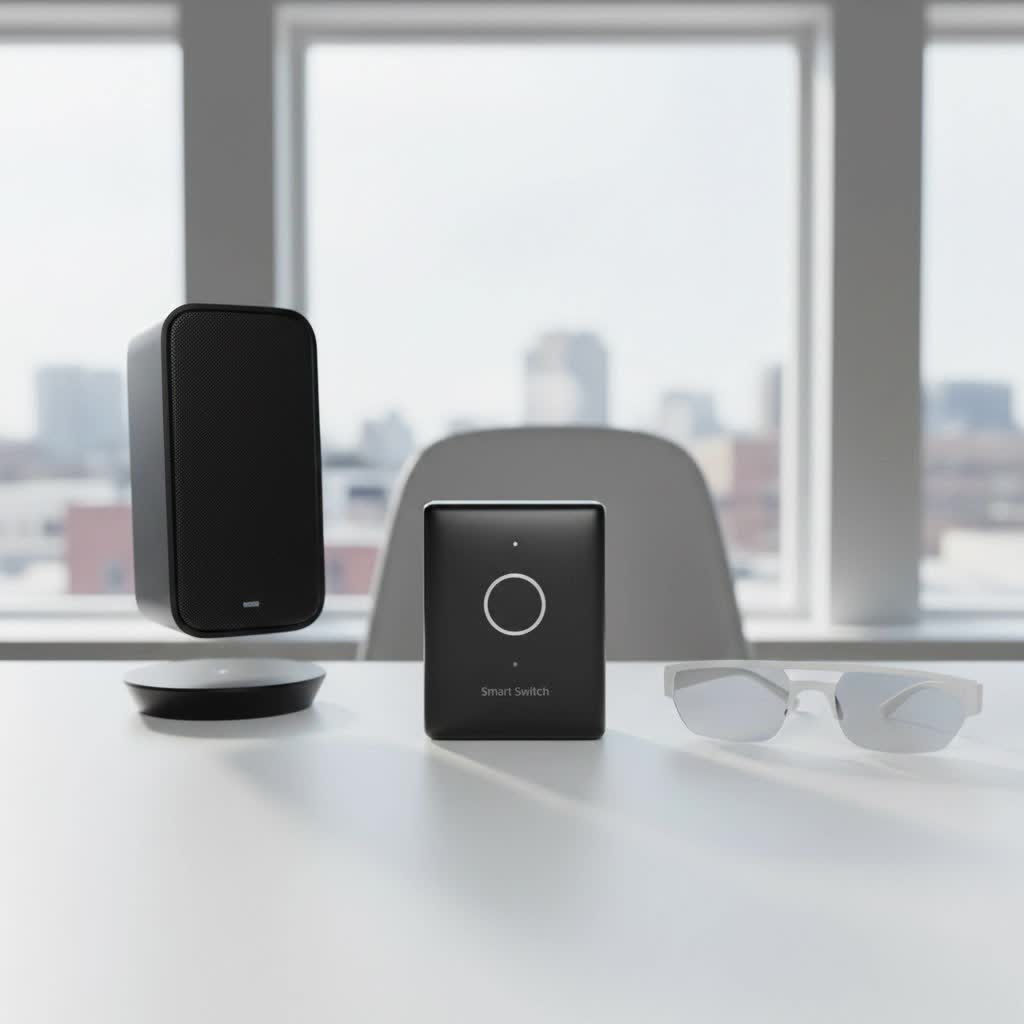
Imagine effortlessly dimming your lights for a movie night with a simple voice command, or having your outdoor lights turn on automatically as you pull into the driveway. That’s the magic of a smart toggle switch. It’s not just about convenience; it’s about enhancing your home’s energy efficiency, security, and overall comfort, making your daily life a little bit easier and a lot more connected.
The Power Behind the Click: How Smart Toggle Switches Work
So, what exactly is a smart toggle switch? At its core, it’s a modern replacement for your traditional mechanical light switch, designed to control your lighting and other connected devices with far greater intelligence. Unlike a regular switch that simply cuts or provides power, a smart toggle switch integrates wireless communication technology, transforming a basic function into a smart, controllable experience.
These switches operate by connecting to your home network, usually via Wi-Fi, Zigbee, or Z-Wave protocols. Once connected, they allow you to control your lights remotely using a smartphone app, voice commands through smart assistants like Amazon Alexa or Google Assistant, or even automated schedules. This means you can turn lights on or off, adjust brightness, and even create custom lighting scenes from anywhere.
Beyond On/Off: Core Functionalities
A smart toggle switch brings a host of advanced features to your fingertips:
- Remote Control: Easily manage your lights from your smartphone or tablet, whether you’re in another room or miles away.
- Scheduling and Timers: Set your lights to turn on and off at specific times, perfect for mimicking occupancy when you’re away or ensuring you never come home to a dark house.
- Dimming Capabilities: Many smart toggle switches offer precise dimming, allowing you to create the perfect ambiance for any occasion and save energy in the process.
- Energy Monitoring: Some models provide real-time data on your electricity consumption, helping you understand usage patterns and identify opportunities for savings.
- Voice Control: Integrate with popular voice assistants for hands-free operation. Just say the word, and your lights obey!
|
Our Picks for the Best Smart Switch in 2026
As an Amazon Associate I earn from qualifying purchases.
|
||
| Num | Product | Action |
|---|---|---|
| 1 | Lutron Caseta 3 Way Smart Dimmer Light Switch Kit, Includes Pico Remote, Bracket, and LED Dimmer Switch, No Neutral Required, P-PKG1WB-WH |

|
| 2 | GHome Smart Switch, 3 Way Wi-Fi Light Switch Compatible with Alexa and Google Home, 2.4GHz Schedule Timer, Neutral Wire Required, 3-Way Installation, FCC Listed (4-Pack), White |
|
| 3 | Kasa Smart Switch 2-Gang HS200-2, Single Pole,Neutral Wire Required, 2.4GHz Wi-Fi Light Switch Compatible with Alexa and Google Home, UL Certified, No Hub Required, White |
|
| 4 | HALO Pure Smart Wi-Fi Dimmer Switch for Traditional Non-Smart Lighting, Connected by WiZ Pro, Hardwired 120V - SWW-DIM-WH |
|
| 5 | Leviton Decora Smart Switch, Wi-Fi 2nd Gen, Neutral Wire Required, Works with Matter, Alexa, Google Assistant, Apple Home/Siri & Wired or Wirefree 3-Way, D215S-1RW, White |
|
| 6 | GHome Smart Switches for Lights, WiFi Smart Light Switch Works with Alexa and Google Home, Single-Pole, Neutral Wire Required, 2.4Ghz WiFi Light Switch with APP Control, No Hub Required, UL FCC Listed |
|
| 7 | Kasa Smart Light Switch HS200P3, Single Pole, Needs Neutral Wire, 2.4GHz Wi-Fi Light Switch Compatible with Alexa and Google Home, UL Certified, No Hub Required, 3 Count -Pack of 1 , White |
|
| 8 | TREATLIFE Smart Light Switch Single Pole Works with Alexa, Google Home and SmartThings, 2.4GHz WiFi Timer Smart Switch, Neutral Wire Required, No Hub Required, FCC Listed, 4 Pack |
|
| 9 | Kasa Smart Dimmer Switch HS220P3, Single Pole, Needs Neutral Wire, 2.4GHz Wi-Fi Light Switch Works with Alexa and Google Home, UL Certified,, No Hub Required, 3-Pack |
|
| 10 | Kasa Matter Smart Light Switch: Voice Control w/Siri, Alexa & Google Assistant, UL Certified, Timer & Schedule, Easy Guided Install, Neutral Wire Required, Single Pole, 2.4GHz Wi-Fi, 3-Pack |
|
The Wireless Backbone: Wi-Fi, Zigbee, Z-Wave, and Matter
Smart switches rely on various communication protocols to connect and interact. Understanding these can help you choose the right system for your home:
- Wi-Fi: These switches connect directly to your home’s Wi-Fi network, often requiring no additional hub. They are straightforward to set up but can sometimes strain your network if you have many devices.
- Zigbee & Z-Wave: These are mesh networking protocols specifically designed for smart home devices. They create a robust, low-power network that can span larger areas and are often more reliable than Wi-Fi for multiple devices. However, they typically require a dedicated hub to bridge the connection to your home network.
- Matter: This emerging industry standard aims to simplify smart home compatibility, allowing devices from different brands to work together seamlessly. Look for Matter-certified devices for enhanced future-proofing and interoperability.
“Choosing the right communication protocol for your smart toggle switches is key to a smooth smart home experience. Consider the number of devices you plan to connect and whether a dedicated hub fits your setup,” advises Dr. Evelyn Reed, a renowned Smart Home Architect.
Finding Your Perfect Match: Types of Smart Toggle Switches
Just like traditional switches, smart toggle switches come in various configurations to suit different wiring setups and lighting needs.
Single-Pole, 3-Way, and 4-Way Options
- Single-Pole: This is the most common type, controlling a single light fixture from one location. If you only have one switch for a light, this is what you need.
- 3-Way: Designed for controlling a single light fixture from two different locations (e.g., at the top and bottom of a staircase). For smart functionality, you might need to replace both switches or use a primary smart switch with a companion switch.
- 4-Way: Used when a single light fixture is controlled from three or more locations. These setups are more complex and might require specific smart switch kits.
Dimmer vs. On/Off: Which One Do You Need?
- Smart On/Off Toggle Switch: These provide basic remote control and scheduling for lights that don’t need dimming, or for appliances plugged into an outlet controlled by the switch.
- Smart Dimmer Toggle Switch: If you want to adjust the brightness of your lights, a smart dimmer is the way to go. These are perfect for creating ambiance and can contribute to energy savings. Ensure your bulbs are dimmable LEDs when using a smart dimmer.
Neutral Wire or No Neutral: Understanding Wiring Requirements
This is a crucial point during installation. Most smart switches require a neutral wire in the switch box to power their internal electronics. This is typically a bundle of white wires tucked away in your electrical box. However, many older homes (built before the 1980s) might lack a neutral wire at the switch box.
The good news is that manufacturers are increasingly offering “neutral-less” smart switches, such as some Lutron Caseta and GE Cync models, which can be a game-changer for older homes. Always check the product specifications carefully to ensure compatibility with your home’s wiring.
DIY Smart Home Upgrade: Step-by-Step Installation Guide
Ready to swap out that old switch for a smart one? While installing a smart toggle switch can be a straightforward DIY project, safety is paramount. If you’re unsure at any point, it’s always best to consult a certified electrician.
Safety First: Turning Off Power
- Locate Your Breaker Box: Find your home’s electrical panel (usually in a basement, garage, or utility closet).
- Identify the Correct Breaker: Flip switches one by one until the light fixture you want to control turns off. Always double-check by attempting to turn the light on/off with the old switch and using a non-contact voltage tester on the wires after removal. This ensures the power is truly off.
- Confirm Power is Off: Once the light is off, switch the main breaker for that circuit to the “OFF” position.
Tools You’ll Need
- Non-contact voltage tester (absolute must-have for safety!)
- Philips head screwdriver
- Flathead screwdriver
- Wire strippers
- Needle-nose pliers
- Wire nuts (usually included with the switch)
- New smart toggle switch (and its instruction manual!)
Wiring It Up: Line, Load, Neutral, Ground
- Remove Wall Plate and Old Switch: Unscrew the wall plate, then carefully unmount the old switch from the electrical box.
- Identify Wires: You’ll typically find:
- Line (Hot) Wire: Carries power from the breaker to the switch (often black, red, or blue).
- Load Wire: Carries power from the switch to the light fixture (often black, but can vary).
- Neutral Wire: A white wire, usually bundled with other white wires at the back of the box, provides a return path for electricity. (Remember, some smart switches don’t require this).
- Ground Wire: A bare copper or green insulated wire, providing a safety path to the earth.
- Disconnect Old Switch: Carefully disconnect the wires from the old switch. You may need to straighten wire ends or strip a small amount of insulation.
- Connect New Smart Switch: Follow your smart switch’s specific wiring diagram. Generally:
- Connect the ground wire (bare copper/green) from the wall box to the ground terminal on the smart switch.
- Connect the neutral wire (white) from the wall box to the neutral terminal on the smart switch (if required).
- Connect the line (hot) wire from the wall box to the designated line terminal on the smart switch.
- Connect the load wire from the wall box to the designated load terminal on the smart switch.
- Use wire nuts to secure connections, twisting them tightly.
- Mount New Switch: Carefully fold the wires back into the electrical box, ensuring no wires are pinched. Mount the new smart switch into the box with screws and attach the new wall plate.
Connecting to Your Home Network
- Restore Power: Go back to your breaker box and flip the circuit breaker back to the “ON” position.
- Download the App: Download the manufacturer’s dedicated app to your smartphone or tablet.
- Pair the Switch: Follow the in-app instructions to pair your smart toggle switch with your home’s 2.4 GHz Wi-Fi network. This usually involves putting the switch into a “pairing mode” (often by pressing and holding a button) and following prompts on your phone.
- Test Functionality: Once paired, test the switch using the app and any connected voice assistants to ensure everything is working correctly.
Seamless Integration: Connecting Your Smart Toggle Switch to Your Smart Home Ecosystem
The real beauty of a smart toggle switch is its ability to become a cornerstone of your automated home.
Voice Assistants (Alexa, Google Assistant, Siri/HomeKit)
Most smart toggle switches are designed to integrate seamlessly with popular voice assistants. After connecting your switch to its dedicated app, simply link the app to your Amazon Alexa, Google Assistant, or Apple HomeKit account. This allows you to control your lights with simple voice commands like, “Alexa, turn on the living room lights,” or “Hey Google, dim the kitchen to 50%.”
Smart Home Hubs and Automation
For more complex automations and integrations with other smart devices (like smart locks, thermostats, or motion sensors), a smart home hub can be invaluable. Hubs often use protocols like Zigbee or Z-Wave and act as a central brain for your smart home, enabling “if-then” scenarios. For example, you could set up an automation where your lights turn on when a smart door sensor detects entry, or dim when you start a movie on your smart TV.
When Smart Goes Stubborn: Common Troubleshooting Tips
Even the most advanced technology can hit a snag. Don’t panic if your smart toggle switch isn’t behaving as expected; most issues have straightforward solutions.
Connectivity Issues (Wi-Fi, Dropped Connections)
- 2.4 GHz Network: Ensure your smart switch is connected to your router’s 2.4 GHz Wi-Fi band, as most smart devices are not compatible with 5 GHz.
- Weak Signal: If your switch frequently disconnects, the Wi-Fi signal might be too weak. Try moving your router closer, using a Wi-Fi extender, or reducing interference from other devices like microwaves or Bluetooth gadgets.
- Router Reboot: Sometimes, a simple router restart can resolve connectivity problems.
- Network Overload: Too many devices on your network can slow things down. Disconnect unused devices to free up bandwidth.
Switch Not Responding (Power, App, Firmware)
- Check Power: Verify the circuit breaker hasn’t tripped. If the switch has an indicator light, ensure it’s on.
- App Glitch: Close and reopen the app, or even uninstall and reinstall it. Make sure the app and your switch’s firmware are up to date.
- Wiring Check: Loose wiring can cause intermittent issues. If you’re comfortable and have turned off the power at the breaker, recheck the connections in the electrical box.
Flickering Lights
- Bulb Compatibility: The most common cause of flickering is incompatible bulbs. Ensure you are using LED bulbs specifically labeled as “dimmable” and compatible with smart switches.
- Load Requirements: Some smart dimmers have minimum load requirements. If you’re using very low-wattage LED bulbs, you might need to use a compatible dimmer or add a load resistor.
- Loose Connections: Again, check wiring for any loose connections after turning off power.
Resetting Your Switch
If all else fails, a factory reset can often resolve persistent issues. The method varies by manufacturer, but typically involves pressing and holding a button on the switch for a certain duration until an indicator light flashes. Consult your switch’s manual for specific instructions.
Top Picks for a Brighter Home: Leading Smart Toggle Switch Brands
The market is bustling with fantastic smart toggle switch options. Here are a few top contenders that consistently earn high marks:
- Lutron Caseta: Often hailed as the “best overall,” Lutron Caseta switches are incredibly reliable and known for their rock-solid performance. Many models don’t require a neutral wire, making them ideal for older homes. They typically require a Lutron Smart Bridge hub.
- Leviton Decora Smart: Offering a wide selection of switches, Leviton Decora Smart is a strong alternative, especially for newer homes that have neutral wires. They are known for good user ratings and versatile smart home integration options.
- Kasa Smart (by TP-Link): A popular choice for those on a budget, Kasa Smart switches offer excellent value with straightforward Wi-Fi connectivity (no hub usually required). Some models even include built-in motion sensors for added automation. Most Kasa switches require a neutral wire.
- Wemo: Wemo switches are a solid choice, particularly for users within the Apple HomeKit ecosystem, offering seamless integration and reliable performance.
- Philips Hue: While primarily known for its smart bulbs, Philips Hue offers switches like the Lutron Aurora, which can convert existing toggle-style light switches into smart dimmers without complex rewiring, solving the problem of maintaining power to smart bulbs.
When choosing, consider your existing smart home ecosystem (Alexa, Google Home, HomeKit), your home’s wiring (neutral wire present or not), and whether you prefer a hub-based system for greater reliability or a Wi-Fi-only setup for simplicity.
Embracing the Future: Why Smart Toggle Switches are a Must-Have
Smart toggle switches are more than just a novelty; they are a fundamental upgrade for any modern home. They offer unparalleled convenience, allowing you to control your lighting with a tap, a voice command, or even automatically based on schedules and sensors. Beyond that, they significantly boost energy efficiency by enabling precise control and monitoring of your electricity usage, potentially leading to noticeable savings on your utility bills.
They enhance security by making your home appear occupied when you’re away and contribute to the overall comfort and ambiance of your living spaces. Investing in smart toggle switches is investing in a smarter, more efficient, and more enjoyable home.
FAQs
Do I need a hub for a smart toggle switch?
It depends on the communication protocol. Wi-Fi smart toggle switches typically connect directly to your home’s Wi-Fi network and do not require a separate hub. Zigbee and Z-Wave switches, however, usually need a compatible smart home hub to function and connect to your network.
Can I use smart toggle switches with traditional bulbs?
Yes, absolutely! Smart toggle switches are designed to replace your traditional wall switches and control regular, non-smart light bulbs or fixtures. If you’re using a smart dimmer switch, just ensure your traditional bulbs are compatible with dimming.
What’s the difference between a smart toggle switch and a smart dimmer?
A smart toggle switch typically refers to an on/off switch that can be controlled remotely. A smart dimmer switch is a type of smart switch that not only provides remote on/off control but also allows you to adjust the brightness of your lights.
Are smart toggle switches energy efficient?
Yes, they can significantly improve energy efficiency. Smart toggle switches allow you to set schedules, use timers, and dim lights, ensuring they’re only on when needed and at the appropriate brightness. Many also offer energy monitoring features to track consumption.
Can I control smart toggle switches when my internet is down?
Some smart toggle switches offer “local control” features, meaning you can still operate them manually at the switch itself, and sometimes even through your local network (without internet access) if connected to a hub. However, remote control via a smartphone app or voice assistant typically requires an active internet connection.
Conclusion
Upgrading to a smart toggle switch is one of the most practical and impactful steps you can take toward building a truly automated and intelligent home. From the simple satisfaction of voice-controlling your lights to the peace of mind that comes with enhanced security and energy savings, these devices deliver tangible benefits that elevate your daily living. By understanding the different types, installation processes, and troubleshooting techniques, you’re now equipped to make informed decisions and transform your home’s lighting into a dynamic, responsive system. Embrace the click, the tap, and the command, and step into the future of home automation with confidence.
