Matter smart switches are wireless-enabled light switches that replace traditional wall switches, designed to simplify smart home control by enabling devices from different manufacturers to communicate seamlessly. This is achieved through Matter, an open-source, global smart home standard championed by the Connectivity Standards Alliance (CSA), which includes industry leaders like Apple, Amazon, Google, and Samsung. Matter smart switches leverage existing technologies such as Wi-Fi, Bluetooth, and Thread to create a unified, reliable smart home network, eliminating the need for multiple apps and ensuring universal compatibility across various ecosystems.
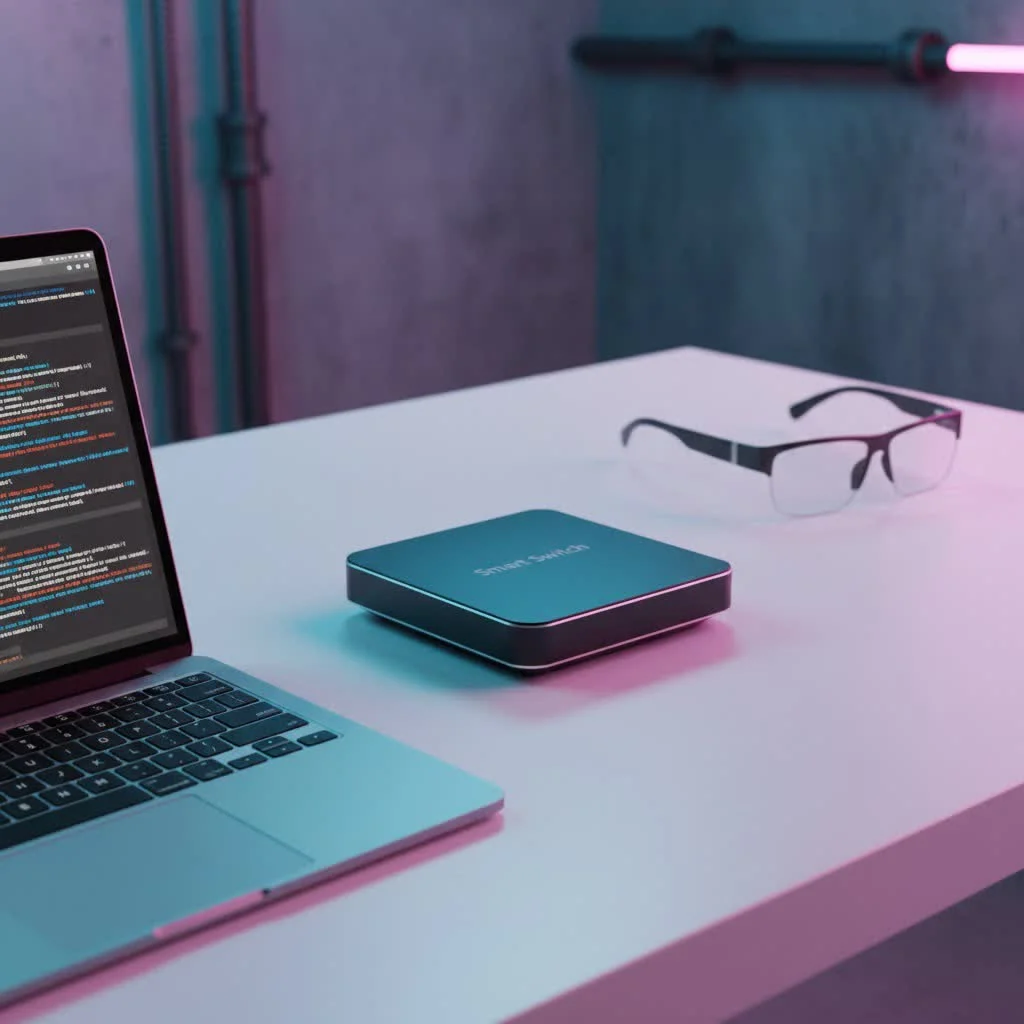 smart switch controlling home lighting” style=”margin: 20px auto;width: 800px;max-width: 100%;height: auto” />
At QMSIT, we have been at the forefront of smart home technology for over a decade, and we confidently state that Matter represents one of the most significant leaps forward. This is not just another gadget; it is a foundational shift that promises to make your home smarter, more reliable, and genuinely user-friendly. Forget juggling multiple apps and worrying about compatibility; Matter smart switches are here to streamline your world. For shop curated smart home on this site.
What Exactly is Matter, and Why Does it Matter for Your Home?
Matter is an open-source, global smart home standard championed by the Connectivity Standards Alliance (CSA), a consortium featuring industry giants like Apple, Amazon, Google, and Samsung. Think of it as the common language all your smart devices have been waiting for. Its core mission is to break down the “walled gardens” of proprietary ecosystems, allowing devices from different manufacturers to communicate and work together effortlessly.
“Matter is not just about adding new features; it is about fundamentally improving the user experience by prioritizing interoperability and simplicity,” explains Dr. Elena Petrova, a leading smart home architect with a decade of experience in automation system design. “It is a standard built on internet protocol (IP), leveraging existing technologies like Wi-Fi, Bluetooth, and Thread to create a unified, robust smart home network.” Thread, in particular, is a low-power, mesh networking protocol that enhances reliability and responsiveness, making sure your commands are executed swiftly and consistently.
Beyond the Buzz: What Does a Matter Smart Switch Do?
A Matter smart switch is essentially a wireless-enabled light switch designed to replace your traditional wall switches. But it is so much more than a simple on/off button. These next-generation switches can remotely control the on/off state of connected lights, adjust their fade and hue (if your bulbs support it), respond to automated routines, and even react to energy-saving schedules. Plus, they seamlessly integrate with your favorite voice assistants like Amazon Alexa, Google Assistant, and Apple Siri.
Imagine saying “Good morning” and having your bedroom lights gently fade on, while your kitchen lights brighten automatically when you step in. Or, consider creating a “Movie Night” scene with a single tap, dimming the lights, and lowering your projector screen. This level of coordinated control is precisely what a Matter smart switch brings to the table, transforming individual actions into orchestrated experiences.
The Undeniable Benefits of Embracing a Matter Smart Switch
Transitioning to a Matter smart switch offers a host of advantages that make everyday living simpler, more efficient, and more enjoyable.
Universal Compatibility: Your Devices, Finally in Sync
|
Our Picks for the Best Smart Switch in 2026
As an Amazon Associate I earn from qualifying purchases.
|
||
| Num | Product | Action |
|---|---|---|
| 1 | Lutron Caseta 3 Way Smart Dimmer Light Switch Kit, Includes Pico Remote, Bracket, and LED Dimmer Switch, No Neutral Required, P-PKG1WB-WH |

|
| 2 | Kasa Smart Switch 2-Gang HS200-2, Single Pole,Neutral Wire Required, 2.4GHz Wi-Fi Light Switch Compatible with Alexa and Google Home, UL Certified, No Hub Required, White |
|
| 3 | Kasa Smart Dimmer Switch HS220P3, Single Pole, Needs Neutral Wire, 2.4GHz Wi-Fi Light Switch Works with Alexa and Google Home, UL Certified,, No Hub Required, 3-Pack |
|
| 4 | Kasa Smart Light Switch HS200P3, Single Pole, Needs Neutral Wire, 2.4GHz Wi-Fi Light Switch Compatible with Alexa and Google Home, UL Certified, No Hub Required, 3 Count -Pack of 1 , White |
|
| 5 | Leviton Decora Smart Switch, Wi-Fi 2nd Gen, Neutral Wire Required, Works with Matter, Alexa, Google Assistant, Apple Home/Siri & Wired or Wirefree 3-Way, D215S-1RW, White |
|
| 6 | HALO Pure Smart Wi-Fi Dimmer Switch for Traditional Non-Smart Lighting, Connected by WiZ Pro, Hardwired 120V - SWW-DIM-WH |
|
| 7 | GHome Smart Switches for Lights, WiFi Smart Light Switch Works with Alexa and Google Home, Single-Pole, Neutral Wire Required, 2.4Ghz WiFi Light Switch with APP Control, No Hub Required, UL FCC Listed |
|
| 8 | TREATLIFE Smart Light Switch Single Pole Works with Alexa, Google Home and SmartThings, 2.4GHz WiFi Timer Smart Switch, Neutral Wire Required, No Hub Required, FCC Listed, 4 Pack |
|
| 9 | Kasa Matter Smart Light Switch: Voice Control w/Siri, Alexa & Google Assistant, UL Certified, Timer & Schedule, Easy Guided Install, Neutral Wire Required, Single Pole, 2.4GHz Wi-Fi, 3-Pack |
|
| 10 | GHome Smart Switch, 3 Way Wi-Fi Light Switch Compatible with Alexa and Google Home, 2.4GHz Schedule Timer, Neutral Wire Required, 3-Way Installation, FCC Listed (4-Pack), White |
|
One of the biggest headaches in smart home adoption has been compatibility. Before Matter, you often had to stick to one brand or ecosystem to ensure everything worked together. A Matter smart switch eliminates this frustration. Thanks to the Matter protocol, these switches work seamlessly with a wide range of smart home products, regardless of whether they use Wi-Fi, Zigbee, Thread, or Z-Wave as their underlying communication protocol. This means you can mix and match devices from different manufacturers, building the smart home that truly fits your needs, not just what one brand offers.
Simplified Setup and Management: Less Fuss, More Function
the days of downloading a new app for every new smart device? Matter aims to make that a distant memory. Matter smart switches are designed for incredibly easy installation and setup. The process often involves scanning a QR code with your preferred smart home app (like Alexa, Google Home, or Apple Home), and the device is quickly onboarded. This streamlined approach significantly reduces setup time and the frustration of dealing with multiple, siloed applications. For optimal performance, it is generally recommended to keep all your Matter devices on your primary home network, avoiding guest networks that can hinder direct device-to-device communication.
Enhanced Reliability and Responsiveness: Commands That Just Work
Matter smart switches leverage local control, meaning your commands are processed directly between devices within your home network rather than always routing through the cloud. This results in significantly faster response times and improved reliability. Even if your internet connection goes down, your lights will still respond to your Matter smart switch. This local control is pivotal, ensuring your smart home remains functional and responsive when you need it most.
Future-Proofing Your Smart Home Investment
The rapid pace of technological change can make investing in smart home tech feel risky. However, with Matter, you are investing in an open, industry-wide standard that is continuously evolving. Products carrying the Matter logo are designed to be compatible with future updates and new devices, ensuring your Matter smart switch remains a valuable part of your home automation system for years to come. This commitment from major tech players ensures longevity and continued development.
Improved Security: Peace of Mind in a Connected World
Security is paramount in any smart home setup. Matter incorporates robust security protocols, including encrypted traffic, making your connected devices more resilient to potential intrusions. While the Matter hub requires your Wi-Fi password, other compatible devices typically connect to the hub via Bluetooth, ad hoc Wi-Fi, or Thread, adding layers of security by not exposing all devices directly to your main network password.
Energy Efficiency and Convenience Hand-in-Hand
Beyond the technical benefits, Matter smart switches contribute to a more energy-efficient and convenient home. By automating lights and other connected appliances, you can reduce energy waste. Set schedules for lights to turn off when rooms are empty or integrate them into “Leave Home” scenes that power down non-essential devices. The combination of physical control, voice commands, and app-based management means you have ultimate flexibility in how you interact with your home’s lighting and connected devices.
Step-by-Step Installation: Bringing Your Matter Smart Switch to Life
Installing a Matter smart switch is a manageable DIY project for most homeowners, similar to replacing a traditional light switch. However, safety and proper wiring are crucial.
Step 1: Safety First – Power Down!
Before you even touch a screwdriver, head to your electrical panel and turn off the circuit breaker that controls the light switch you are replacing. Seriously, do not skip this. Use a non-contact voltage tester to confirm that the power is completely off at the switch box. “Working with electricity demands respect and caution,” advises Dr. Petrova. “Always verify the circuit is dead before proceeding.”
Step 2: Identify Your Wires
Carefully remove the faceplate and the old switch from the wall box. You will typically see several wires:
- Line Wire: This brings power from your breaker. In the US, it is often black and remains “hot” even when the switch is off.
- Load Wire: This carries power from the switch to the light fixture (or other connected device). Also commonly black.
- Neutral Wire: This completes the circuit by returning electricity to the source, typically white. Many Matter smart switches require a neutral wire, so check your existing wiring. If you do not have one, you might need to consult an electrician or seek out specific smart switches designed for no-neutral setups.
- Ground Wire: For safety, this wire sends excess electricity to the ground. It is usually green or bare copper.
- Traveler Wires: If you have lights controlled by two or more switches (3-way or 4-way configurations), you will have traveler wires, often black or red. Matter smart switches are available for these setups, but require specific models (e.g., Tapo S515 for 3-way).
Take a picture of the existing wiring before disconnecting anything – it is a great reference! Your Matter smart switch usually comes with stickers to help you label the wires.
Step 3: Wire Your New Matter Smart Switch
Follow the specific wiring diagram provided with your Matter smart switch. Generally, you will connect the ground wire from your wall to the ground wire on the new switch, the neutral to neutral, and then the line and load wires. For many basic Matter smart switches, the line and load connections may be interchangeable, but always double-check the manufacturer’s instructions. Use wire nuts to secure all connections tightly.
Step 4: Mount and Restore Power
Gently push the wired smart switch and wires back into the wall box, taking care not to pinch any connections. Screw the switch securely into place and attach the new faceplate. Once everything is buttoned up, return to your electrical panel and switch the breaker back on.
Step 5: App Setup and Configuration
With power restored, your Matter smart switch will likely show a flashing indicator light, signaling it is ready for pairing.
- Open your Smart Home App: Launch your preferred Matter-compatible app (e.g., Amazon Alexa, Google Home, Apple Home, SmartThings).
- Add Device: Look for an “Add Device” or “+” icon within the app.
- Scan QR Code: The app will prompt you to scan the Matter QR code, which is usually found on the switch itself, the quick start guide, or the packaging. Some devices also provide a numeric code for manual entry.
- Follow Prompts: The app will guide you through the remaining steps, including naming your switch and assigning it to a room or group.
- Test: Once connected, test the switch both physically and via the app to ensure it is functioning correctly.
Troubleshooting Common Glitches with Your Matter Smart Switch
-
“Device Not Found” During Setup:
- Network Mismatch: Ensure your smartphone is connected to the same Wi-Fi network as your Matter smart switch. Some Wi-Fi-only Matter devices might require your phone to be on a 2.4 GHz network during initial setup.
- Guest Networks: Avoid using a guest network for your Matter devices. Matter relies on direct local communication, which can be blocked if devices are isolated on a guest network.
- Matter Hub/Border Router: For Thread-based Matter devices, ensure you have a compatible Thread border router (like many Amazon Echo or Google Nest Hub devices) powered on and functioning.
- Reset the Device: Try factory resetting the Matter smart switch (typically by holding the button for 10-15 seconds until an indicator light flashes).
-
Limited Functionality via Matter:
- While Matter aims for universal control, some advanced, brand-specific features (e.g., granular power-on behavior, unique fade effects) might only be accessible through the manufacturer’s original app. Matter is constantly evolving, and more features are being integrated over time.
- Firmware Updates: Occasionally, firmware updates for your Matter smart switch may still require the original manufacturer’s app. Ensure your devices are always up to date.
-
No Neutral Wire: As mentioned, many Matter smart switches require a neutral wire for consistent power. If your home lacks a neutral wire in your switch boxes, you will need to either opt for specific no-neutral compatible smart switches or consult an electrician for wiring modifications.
Integrating Your Matter Smart Switch with Broader Smart Home Systems
One of the most compelling aspects of a Matter smart switch is its ability to integrate effortlessly with your broader smart home ecosystem.
Centralized Control Hubs
Your Matter smart switch will communicate with your chosen Matter controller – this could be an Amazon Echo device, an Apple HomePod Mini, a Google Nest Hub, or a Samsung SmartThings hub. These hubs act as the brain, coordinating actions and allowing you to control devices through a single interface, whether it is an app or voice commands.
Creating Smart Home Scenes and Automations
With Matter, designing complex automations becomes intuitive. You can set up “scenes” that trigger multiple devices simultaneously. For example, a “Leaving Home” scene could turn off all your lights, adjust the thermostat, and lock your smart doors – all activated by a single button press on your Matter smart switch or a voice command. The possibilities for customization are truly endless, helping you conserve energy and enhance convenience.
Sharing Device Control
Matter also simplifies sharing control of your smart devices. If you want to allow a family member to control a Matter smart switch from their own smart home app (even if they use a different ecosystem like Apple Home while you use Google Home), you can often generate a secure pairing code within your primary app to add the device to their platform, provided they have a compatible Matter-enabled hub.
Top Brands Leading the Matter Smart Switch Revolution
The smart home market is bustling with innovation, and several reputable brands are already offering high-quality Matter smart switches:
- Leviton Decora Smart Switch (2nd Gen): A trusted name in electrical, Leviton offers reliable Matter-enabled switches with seamless, hub-free setup and features like scheduling and locator lights.
- TP-Link Tapo (S505, S505D, S515): Tapo provides a range of affordable and effective Matter smart switches, including models for dimming (S505D) and multi-way control (S515).
- Kasa Matter Smart Dimmer Switch: From TP-Link’s Kasa line, these dimmers offer robust Matter compatibility and smooth lighting control.
- Eve Light Switch: Known for its strong Apple HomeKit integration, Eve offers Thread-based Matter switches that boast excellent responsiveness and local control.
- Inovelli White Series Smart Dimmer: Another Thread-based option, Inovelli switches are popular among enthusiasts for their advanced features and customization.
- Aqara: Beyond switches, Aqara offers a comprehensive Matter ecosystem, including hubs and sensors that integrate seamlessly.
- GE Cync: GE’s Cync series also provides Matter-compatible smart switches, focusing on ease of use and consistent lighting control.
- Nanoleaf: Primarily known for smart lighting, Nanoleaf also extends its Matter integration to smart switches, blending aesthetics with functionality.
These brands represent a commitment to the Matter standard, offering diverse options to suit various home configurations and budget requirements.
Your Questions About Matter Smart Switches, Answered
Q: Do I need a special hub for a Matter smart switch?
A: Yes, you will need a Matter-compatible controller or hub. This could be a smart speaker like an Amazon Echo or Google Nest Hub, an Apple HomePod Mini, or a dedicated smart home hub like Samsung SmartThings. Many of these devices also act as Thread border routers, which are essential for Thread-based Matter smart switches.
Q: Can I use a Matter smart switch with both Alexa and Apple HomeKit simultaneously?
A: Absolutely! One of Matter’s greatest strengths is cross-platform compatibility. You can set up your Matter smart switch with one ecosystem (e.g., Alexa) and then generate a pairing code within that app to add it to a second platform (e.g., Apple HomeKit), allowing control from both.
Q: Are Matter smart switches compatible with older smart home devices?
A: Matter primarily ensures compatibility between new Matter-certified devices. However, some existing smart home hubs and bridges (like Philips Hue Bridge) are receiving software updates to act as “Matter bridges,” allowing their connected non-Matter devices to be exposed to a Matter ecosystem.
Q: What’s the difference between Wi-Fi and Thread in Matter?
A: Both Wi-Fi and Thread are networking technologies that Matter can use. Wi-Fi Matter devices connect directly to your home Wi-Fi network, much like many existing smart devices. Thread-based Matter devices create a low-power, self-healing mesh network, offering enhanced reliability, speed, and efficiency, especially for battery-powered sensors and switches. A Thread Border Router is required for Thread devices to communicate with your broader network.
Q: Do Matter smart switches still work if my internet goes down?
A: Yes, most Matter smart switches are designed to support local control. This means that even without an active internet connection, you can still control your lights and connected devices within your home network using the physical switch or through your local Matter controller.
Q: Is installation more complicated than a regular switch?
A: The physical installation is quite similar to a standard light switch, involving basic wiring. The main differences are ensuring you have a neutral wire (often required for smart switches) and then the digital setup process through your smart home app, which is typically guided and straightforward thanks to Matter’s simplified pairing.
The Future of Your Smart Home is Here with Matter Smart Switches
The introduction of Matter smart switches marks a significant evolution in home automation. No longer a fragmented landscape, your smart home can now operate as a cohesive, intelligent entity, with devices from various brands working together seamlessly. This means more choices, simpler setups, enhanced reliability, and ultimately, a more harmonious and efficient living experience.
At QMSIT, we believe that empowering you with clear, practical knowledge is key to unlocking your home’s full potential. Embracing a Matter smart switch is not just an upgrade; it is an investment in a future where your smart home truly works for you, simplifying daily routines and adding unparalleled convenience. So go ahead, explore the world of Matter, and take the next step in automating your home safely and effectively. Your truly smart home awaits!
Smart home that does not lock you in
Free PDF — protocol compatibility matrix for 30 hubs and devices.

I appreciate the idea of Thread integration for a more stable network, and it mostly works well. However, I found that one of the switches I bought had a slight delay when responding to commands, which was a bit annoying. It’s not a dealbreaker, but it’s noticeable compared to my other smart devices. Hopefully, future firmware updates will address this.
Finally, a smart home standard that actually delivers on its promises! The fact that Apple, Amazon, and Google are all behind Matter gives me a lot of confidence. I replaced all my old switches with Matter-enabled ones, and the difference in responsiveness and ease of use is incredible. No more worrying about whether a new device will play nice with my existing setup. It’s truly a foundational shift.
The universal compatibility promised by Matter is really impressive. I was able to integrate my old smart bulbs with a new switch from a different brand without any issues, which was a huge relief. My only minor gripe is that some of the initial setup guides could be a bit clearer for absolute beginners, but once it’s running, it’s super reliable. No more dropped connections like I used to get with my old Wi-Fi switches.
I’ve been slowly upgrading my home to smart tech, and these Matter switches are a game-changer. I used to have so many different apps for my lights, but now everything works together seamlessly. It’s so much easier to control my lights with just one system, and the installation was surprisingly straightforward. Definitely recommend for anyone tired of juggling multiple smart home apps.