A Z-Wave smart switch is a crucial component for building a reliable and responsive smart home, utilizing a dedicated wireless communication protocol (typically 800-900 MHz in the US) to minimize interference and ensure stable connections. Unlike Wi-Fi, Z-Wave employs mesh networking, where every mains-powered device acts as a repeater, extending signal range and strengthening the overall network. This architecture provides unrivaled reliability, enhanced security with S2 protocol, energy efficiency, and broad interoperability across certified devices from different brands.
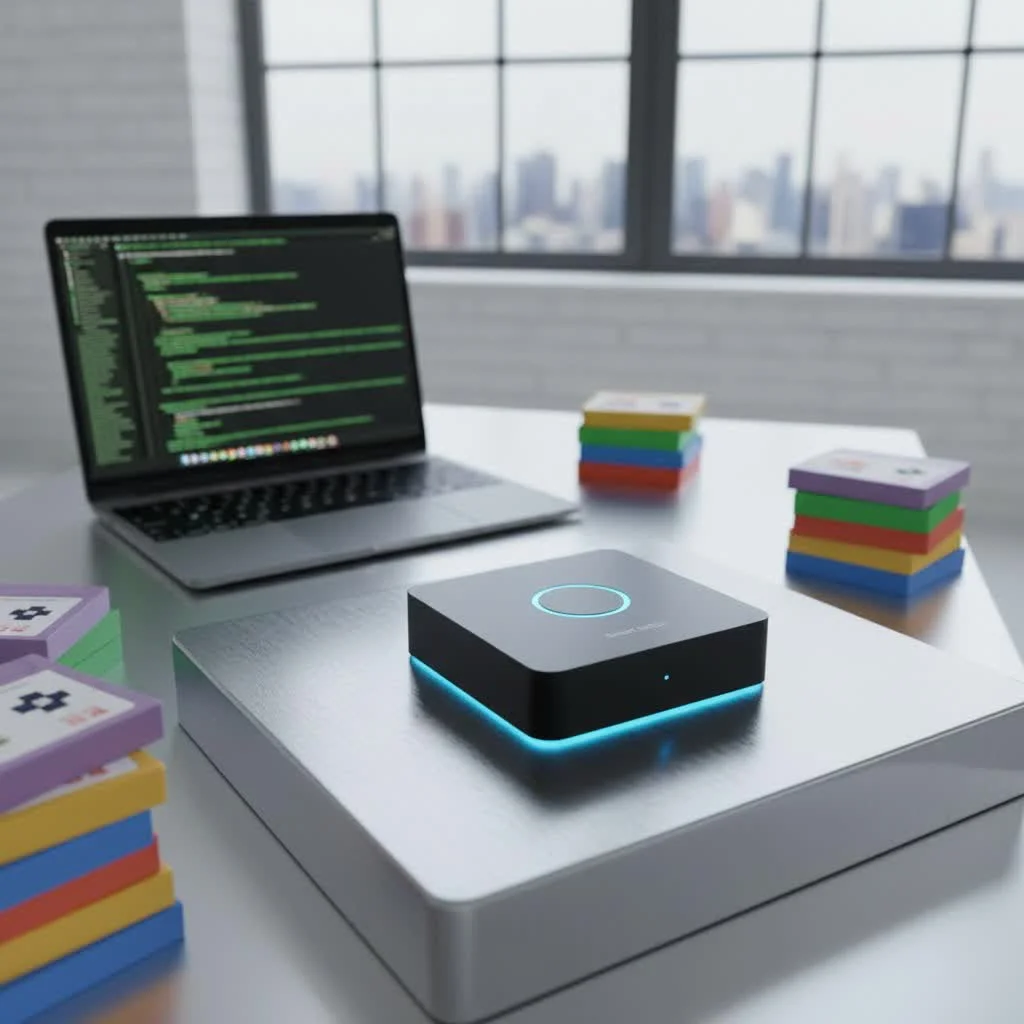 smart switch installed in a modern home” style=”margin: 20px auto;width: 800px;max-width: 100%;height: auto” />
Whether you’re looking to automate your lighting, manage appliances remotely, or simply add a touch of modern convenience, understanding the ins and outs of a Z-Wave smart switch is your first step towards a smarter, more integrated home.
What Makes Z-Wave Smart Switches Tick?
At its core, Z-Wave is a wireless communication protocol specifically designed for smart home devices. Unlike your home Wi-Fi, which juggles everything from streaming movies to online gaming, Z-Wave operates on a less crowded radio frequency band (typically 800-900 MHz in the US) [cite: 1_1, 2_1, 2_3]. This dedicated bandwidth significantly reduces interference, leading to a much more reliable and stable connection for your smart devices.
Think of it like this: your Wi-Fi is a bustling highway, prone to traffic jams. Z-Wave is a dedicated express lane just for your smart home devices, ensuring smooth, consistent communication.
One of Z-Wave’s most compelling features is its mesh networking capability. Every mains-powered Z-Wave device in your home acts as a repeater, extending the signal’s range and strengthening the network as a whole [cite: 1_2, 1_4, 2_3, 2_5]. The more Z-Wave devices you add, the more robust and far-reaching your network becomes. This self-healing network ensures that commands find their way to their destination, even if a direct path is blocked.
The benefits of this robust architecture are clear:
- Unrivaled Reliability: With its dedicated frequency and mesh network, Z-Wave minimizes communication dropouts, ensuring your commands are executed consistently [cite: 1_1, 1_3, 1_4, 2_5].
- Enhanced Security: Newer Z-Wave Plus devices often incorporate the S2 security protocol, offering advanced encryption to protect your home from unauthorized access [cite: 5_4].
- Energy Efficiency: Z-Wave devices are designed for low power consumption, making them suitable for both hardwired and battery-operated solutions and helping you keep those energy bills in check [cite: 1_3, 1_4, 2_3, 3_4].
- Broad Interoperability: A major selling point of Z-Wave is its guaranteed compatibility. Any certified Z-Wave device, regardless of its brand, is designed to work seamlessly with any other certified Z-Wave device and hub [cite: 1_2, 1_4, 2_3, 2_5, 3_3]. This freedom allows you to mix and match products from different manufacturers without compatibility headaches.
“Z-Wave’s commitment to interoperability and its mesh network architecture are game-changers for homeowners,” says Dr. Amelia Thorne, Smart Home Systems Architect. “It simplifies the building of complex automation systems, making smart living accessible and dependable.”
Z-Wave vs. The Wireless World: A Smart Comparison
When diving into smart switches, you’ll often encounter discussions comparing Z-Wave with other popular protocols like Wi-Fi and Zigbee. Each has its strengths, but for a truly integrated smart home, the Z-Wave smart switch often comes out on top for its specific advantages.
Z-Wave vs. Wi-Fi Smart Switches
|
Our Picks for the Best Smart Switch in 2026
As an Amazon Associate I earn from qualifying purchases.
|
||
| Num | Product | Action |
|---|---|---|
| 1 | Leviton Decora Smart Switch, Wi-Fi 2nd Gen, Neutral Wire Required, Works with Matter, Alexa, Google Assistant, Apple Home/Siri & Wired or Wirefree 3-Way, D215S-1RW, White |

|
| 2 | GHome Smart Switches for Lights, WiFi Smart Light Switch Works with Alexa and Google Home, Single-Pole, Neutral Wire Required, 2.4Ghz WiFi Light Switch with APP Control, No Hub Required, UL FCC Listed |
|
| 3 | Kasa Smart Switch 2-Gang HS200-2, Single Pole,Neutral Wire Required, 2.4GHz Wi-Fi Light Switch Compatible with Alexa and Google Home, UL Certified, No Hub Required, White |
|
| 4 | GHome Smart Switch, 3 Way Wi-Fi Light Switch Compatible with Alexa and Google Home, 2.4GHz Schedule Timer, Neutral Wire Required, 3-Way Installation, FCC Listed (4-Pack), White |
|
| 5 | Kasa Smart Light Switch HS200P3, Single Pole, Needs Neutral Wire, 2.4GHz Wi-Fi Light Switch Compatible with Alexa and Google Home, UL Certified, No Hub Required, 3 Count -Pack of 1 , White |
|
| 6 | HALO Pure Smart Wi-Fi Dimmer Switch for Traditional Non-Smart Lighting, Connected by WiZ Pro, Hardwired 120V - SWW-DIM-WH |
|
| 7 | Kasa Matter Smart Light Switch: Voice Control w/Siri, Alexa & Google Assistant, UL Certified, Timer & Schedule, Easy Guided Install, Neutral Wire Required, Single Pole, 2.4GHz Wi-Fi, 3-Pack |
|
| 8 | Lutron Caseta 3 Way Smart Dimmer Light Switch Kit, Includes Pico Remote, Bracket, and LED Dimmer Switch, No Neutral Required, P-PKG1WB-WH |
|
| 9 | Kasa Smart Dimmer Switch HS220P3, Single Pole, Needs Neutral Wire, 2.4GHz Wi-Fi Light Switch Works with Alexa and Google Home, UL Certified,, No Hub Required, 3-Pack |
|
| 10 | TREATLIFE Smart Light Switch Single Pole Works with Alexa, Google Home and SmartThings, 2.4GHz WiFi Timer Smart Switch, Neutral Wire Required, No Hub Required, FCC Listed, 4 Pack |
|
Wi-Fi smart switches connect directly to your home Wi-Fi network, often without needing a separate hub. This can seem appealing for simplicity, but it comes with potential downsides. Your Wi-Fi network can become congested with too many devices, leading to slower speeds and unreliable performance for both your smart devices and your internet browsing [cite: 3_1, 3_3, 3_5]. Z-Wave, by operating on its own frequency, sidesteps this congestion entirely, offering a dedicated and more stable channel for your smart home devices [cite: 1_1, 1_3, 2_1, 2_3, 3_1, 3_3, 3_4]. While Wi-Fi might be convenient for a single smart plug, Z-Wave excels in a whole-home ecosystem.
Z-Wave vs. Zigbee Smart Switches
Both Z-Wave and Zigbee utilize mesh networking and require a central hub. However, they differ in frequency, network size, and interoperability. Zigbee operates on the globally used 2.4 GHz frequency band, which it shares with Wi-Fi, potentially leading to more interference [cite: 3_1, 3_4]. Z-Wave’s sub-GHz frequency helps it avoid this overlap. While Zigbee networks can theoretically support tens of thousands of devices, Z-Wave is limited to 232 devices [cite: 3_1, 3_4]. However, for most residential applications, 232 devices are more than sufficient. Z-Wave also boasts a slightly wider network reach per hop, improving signal propagation in larger homes [cite: 3_1, 3_2, 3_3]. Furthermore, Z-Wave’s proprietary standard, overseen by Silicon Labs, ensures a higher degree of guaranteed interoperability between different brands compared to Zigbee’s open standard, where variations can sometimes lead to compatibility quirks [cite: 3_1, 3_4].
Ready to Upgrade? Installing Your Z-Wave Smart Switch
Installing a Z-Wave smart switch might seem daunting, but with the right guidance and a commitment to safety, it’s a manageable DIY project for many homeowners. Remember, we’re dealing with electricity, so caution is paramount.
Safety First: Power Down Before You Wire Up
This isn’t a suggestion; it’s a golden rule. ALWAYS turn off the power at your circuit breaker before touching any electrical wiring. Ideally, turn off the main breaker to your entire home to ensure no unexpected surprises. Use a voltage tester to confirm that the circuit is completely dead before proceeding. Your safety is non-negotiable. [cite: 1_1, 4_3]
Understanding Your Wiring: Neutral, Line, Load, and Traveler
Before you begin, it’s essential to identify the wires in your electrical box:
- Line (Hot): This wire brings power into the switch from your electrical panel.
- Load: This wire carries power out from the switch to your light fixture or appliance.
- Neutral: This wire completes the circuit and is crucial for most Z-Wave smart switches, providing continuous power for the switch’s internal electronics. It’s typically a bundle of white wires. [cite: 1_1, 2_2, 4_3, 4_4, 4_5]
- Ground: This bare copper or green wire provides a safety path for electricity in case of a fault.
- Traveler: Found in 3-way or 4-way switch setups, these wires allow multiple switches to control the same light.
It’s vital to note that most Z-Wave smart switches require a neutral wire [cite: 4_1, 4_4, 4_5]. If your older home lacks a neutral wire in the switch box, you’ll need to either run one or opt for specialized no-neutral Z-Wave switches, such as those from Inovelli’s Red Series [cite: 5_1, 5_2]. Always check the specific requirements of your chosen switch.
Step-by-Step Installation Guide
Here’s a general guide to installing a Z-Wave smart switch:
- Turn Off Power: Locate your breaker panel and switch off the breaker controlling the light fixture you’ll be working on. Double-check with a voltage tester.
- Remove Old Switch: Carefully unscrew and pull your existing switch out of the electrical box. Take a photo of the current wiring before disconnecting anything – this can be a lifesaver!
- Identify Wires: Label your wires clearly (Line, Load, Neutral, Ground, Traveler if present) using electrical tape or labels. If unsure, a multimeter can help identify Line and Load wires, but consulting a licensed electrician is always recommended for safety. [cite: 4_1]
- Wire the Z-Wave Switch: Connect your Z-Wave smart switch according to the manufacturer’s diagram. This usually involves connecting the Line, Load, Neutral, and Ground wires to their respective terminals on the new switch. For 3-way setups, you’ll also connect the traveler wire to an add-on switch. Ensure all connections are secure and tight. [cite: 1_1, 4_1, 4_2, 4_3, 4_4, 4_5]
- Secure the Switch: Gently push the wired switch back into the electrical box and screw it into place.
- Restore Power & Test: Turn the power back on at the breaker. Manually test the switch to ensure it turns the light on and off.
- Pair with Z-Wave Hub: Now, it’s time to bring your Z-Wave smart switch into your smart home network. Put your Z-Wave hub (e.g., SmartThings, Hubitat) into “inclusion” or “pairing” mode. Then, follow your switch’s specific instructions, which often involve triple-tapping the switch button, to add it to your network. [cite: 1_2, 1_3]
Common Z-Wave Smart Switch Troubleshooting Tips
Even with the most reliable technology, sometimes things don’t go exactly as planned. Here are some common troubleshooting tips for your Z-Wave smart switch:
My Switch Isn’t Pairing!
This is perhaps the most frequent issue. Don’t fret!
- Exclusion Mode First: Many brand-new Z-Wave devices come pre-paired to a factory test network. Before trying to include a device, always put your Z-Wave hub into “exclusion mode” and then activate the switch (often by triple-tapping) to factory reset it. This clears any previous network data. [cite: 1_3, 5_2, 5_5]
- Check Distance: Ensure the switch is within a reasonable range of your Z-Wave hub or another mains-powered Z-Wave device (which acts as a repeater) during the pairing process. Once paired, it can typically be moved, relying on the mesh network. [cite: 5_2, 5_3, 5_5]
- Power Cycle: Sometimes, a simple power cycle of both the Z-Wave switch (by pulling its air gap switch or cycling the breaker) and your Z-Wave hub can resolve pairing glitches. [cite: 5_5]
- Read the Manual: This cannot be stressed enough. Each switch model can have unique pairing sequences or specific requirements. [cite: 4_1]
Laggy Responses or Offline Devices
If your Z-Wave smart switch is slow to respond or appears offline in your app:
- Strengthen Your Mesh Network: Z-Wave thrives on its mesh. Ensure you have enough mains-powered Z-Wave devices strategically placed throughout your home to act as repeaters. Battery-powered devices do not repeat signals. [cite: 5_3, 5_4, 5_5]
- Check for Interference: While less common than with Wi-Fi, other devices operating on similar frequencies (like some older 900 MHz cordless phones or baby monitors) can sometimes interfere. Try temporarily disabling such devices. [cite: 5_3, 5_5]
- Refresh Z-Wave Mesh: Most Z-Wave hubs have a “repair” or “rebuild mesh network” function. Running this utility can optimize signal routing and improve communication. [cite: 5_3, 5_4]
- Verify Power: Ensure the switch is still receiving consistent power. Check the circuit breaker and that the switch is securely wired. [cite: 5_4]
Top Z-Wave Smart Switches on the Market in 2025
The Z-Wave ecosystem continues to innovate, with new and improved Z-Wave smart switch models emerging constantly. As of 2025, several brands consistently deliver quality and performance:
- Best for No-Neutral Homes: The Inovelli Red Series On/Off switch remains a top contender. It offers advanced scene control and works reliably in homes lacking a neutral wire, a common challenge in older constructions. [cite: 5_1, 5_3]
- Best Budget-Friendly Option: The Zooz ZEN71 700 Series provides excellent value and responsive Z-Wave control, making it a great entry point for Z-Wave beginners. The newer Zooz ZEN76 800LR leverages the latest Z-Wave 800 series chipset for increased range and speed. [cite: 5_1, 5_2, 5_4]
- Best All-Rounder: GE Enbrighten Z-Wave Plus switches are a reliable choice, known for their solid performance and compatibility with popular platforms like SmartThings, Ring Alarm, Alexa, and Google Assistant. They also offer quick-fit designs for easier installation. [cite: 5_1, 5_3, 5_4]
- Premium Dimmer: For those seeking advanced dimming capabilities, the Leviton Decora Smart Z-Wave 800 Dimmer (model ZW6HD), based on the latest Z-Wave 800 chipset, delivers precise control and easy installation. [cite: 5_2]
- Advanced Automations: The HomeSeer HS-WS200+ is favored by power users for its robust scene control and notification features, ideal for complex automation routines. [cite: 5_1]
When selecting your Z-Wave smart switch, consider factors like your home’s wiring (neutral wire presence), desired features (dimming, scene control), and compatibility with your existing Z-Wave hub.
Elevating Your Smart Home Experience with Z-Wave
Integrating a Z-Wave smart switch into your home opens up a world of possibilities beyond simple on/off control.
- Voice Control Integration: Pair your Z-Wave hub with popular voice assistants like Amazon Alexa or Google Assistant, and you can control your lights and appliances with simple voice commands, making your home truly hands-free [cite: 1_1, 1_3, 2_3, 5_3, 5_4]. “Alexa, turn off the living room lights.” It’s that easy.
- Creating Smart Scenes: Imagine a “Goodnight” scene that, with a single command or tap, turns off all lights, locks the doors, and adjusts the thermostat. Z-Wave switches are perfect for building these customized scenes, enhancing convenience and comfort throughout your home [cite: 1_3, 1_4, 2_3].
- Automated Schedules: Program your lights to turn on automatically at sunset, or have your porch lights activate when motion is detected. Z-Wave switches allow for precise scheduling and automation, adapting your home to your lifestyle and even giving the appearance of occupancy when you’re away [cite: 1_4, 2_2, 2_4].
Your Z-Wave Smart Switch Questions Answered (FAQ)
Do I need a hub for Z-Wave smart switches?
Yes, Z-Wave smart switches require a compatible Z-Wave hub or controller (like SmartThings, Hubitat, or HomeSeer) to function and integrate into your smart home ecosystem. This hub acts as the central brain for your Z-Wave network. [cite: 1_1, 1_2, 1_3, 1_4, 2_1, 2_3, 2_5, 3_2, 3_3, 3_5]
Can Z-Wave smart switches work without a neutral wire?
While most Z-Wave smart switches typically require a neutral wire for power, specialized models like the Inovelli Red Series are designed to work in homes without a neutral wire. Always check the product specifications carefully. [cite: 1_1, 4_1, 4_4, 4_5, 5_1, 5_2]
Is Z-Wave compatible with Alexa or Google Assistant?
Yes, Z-Wave smart switches can be controlled by Amazon Alexa and Google Assistant, but this requires a compatible Z-Wave hub that integrates with these voice platforms. The hub acts as a bridge between the Z-Wave network and the voice assistant. [cite: 1_1, 1_3, 2_3, 5_3, 5_4]
What’s the difference between Z-Wave 700 and 800 series?
The Z-Wave 700 and 800 series refer to newer generations of Z-Wave chipsets. The 800 series, the latest, offers improved range, faster communication, and even lower power consumption compared to its predecessors, making for an even more robust smart home experience. [cite: 5_2, 5_4]
How many Z-Wave devices can I have in my network?
A single Z-Wave network can theoretically support up to 232 devices. For most residential applications, this provides ample capacity for a comprehensive smart home setup without reaching the limit. [cite: 3_1, 3_4]
Embracing the Z-Wave smart switch is more than just adopting a new gadget; it’s investing in a reliable, secure, and future-proof foundation for your smart home. With its robust mesh network, low interference, and broad interoperability, Z-Wave empowers you to take control of your home’s lighting and appliances with unparalleled ease and efficiency. So go ahead, explore the possibilities, and confidently step into a smarter, more connected way of living. Your home will thank you for it!
Frequently Asked Questions
Do Z-Wave smart switches require a central hub to operate?
Yes, Z-Wave smart switches require a compatible Z-Wave hub or controller, such as SmartThings or Hubitat, to integrate into your smart home ecosystem. This hub serves as the central brain for managing your Z-Wave network and devices.
Can Z-Wave smart switches be installed in homes without a neutral wire?
Most Z-Wave smart switches typically require a neutral wire for continuous power. However, specialized models like the Inovelli Red Series On/Off switch are specifically designed to function in older homes that lack a neutral wire in the switch box. Always verify product specifications before purchase.
Are Z-Wave smart switches compatible with voice assistants like Alexa?
Yes, Z-Wave smart switches can be controlled by Amazon Alexa and Google Assistant, but this functionality depends on having a compatible Z-Wave hub that integrates with these voice platforms. The hub acts as a bridge, translating voice commands into Z-Wave actions.
What are the key differences between Z-Wave 700 and 800 series chipsets?
The Z-Wave 700 and 800 series represent successive generations of Z-Wave chipsets. The newer 800 series offers significant improvements, including increased wireless range, faster communication speeds, and even lower power consumption, enhancing the overall robustness of the smart home experience.
What is the maximum number of devices a single Z-Wave network can support?
A single Z-Wave network can theoretically support up to 232 devices. For the vast majority of residential applications, this capacity is more than sufficient to build a comprehensive and interconnected smart home setup without reaching its limit.
Smart home that does not lock you in
Free PDF — protocol compatibility matrix for 30 hubs and devices.

I picked up one of the recommended Z-Wave switches for my outdoor patio lights. The S2 protocol for security was a big selling point for me, especially for something exposed to the elements. It’s been working great, very responsive. My only minor gripe is that the physical switch itself feels a little less ‘clicky’ than I’m used to, but that’s a small thing.
These Z-Wave switches are fantastic for automating lighting. I love being able to manage my kitchen lights remotely, and the energy efficiency is a nice bonus. It’s so much more reliable than my old setup, no more random disconnections. The broad interoperability with other certified devices is also a huge plus, making it easy to expand my system later.
I finally upgraded my living room lights with a Z-Wave smart switch and it’s been a game changer. The mesh networking really works, I have a few devices spread out and the signal is super strong, even in the back of the house. Setup was pretty straightforward, and it integrated perfectly with my existing smart home hub. Definitely recommend for anyone tired of unreliable Wi-Fi switches.
I was excited to try a Z-Wave switch for my garage lights, hoping to avoid the usual Wi-Fi dropouts. The dedicated wireless communication protocol at 800-900 MHz does seem to make a difference in stability, which is good. However, I found the initial pairing process a bit finicky with my specific hub, took a few tries to get it recognized. Once it was connected, it’s been solid, but that first hurdle was annoying.