Welcome to the future of home lighting, where a simple “Smart Lamp Switch” transforms your living space from mundane to magnificent. Forget the days of physically flicking switches; imagine controlling your lights with a tap on your phone, a spoken command, or even through automated schedules that adapt to your lifestyle. As a leading expert in smart home technology, with over a decade of hands-on experience and a passion for simplifying complex tech, I’m here to demystify the world of smart lamp switches. This guide, brought to you by QMSIT, will equip you with the knowledge to confidently upgrade your home lighting, making it smarter, more efficient, and incredibly convenient.
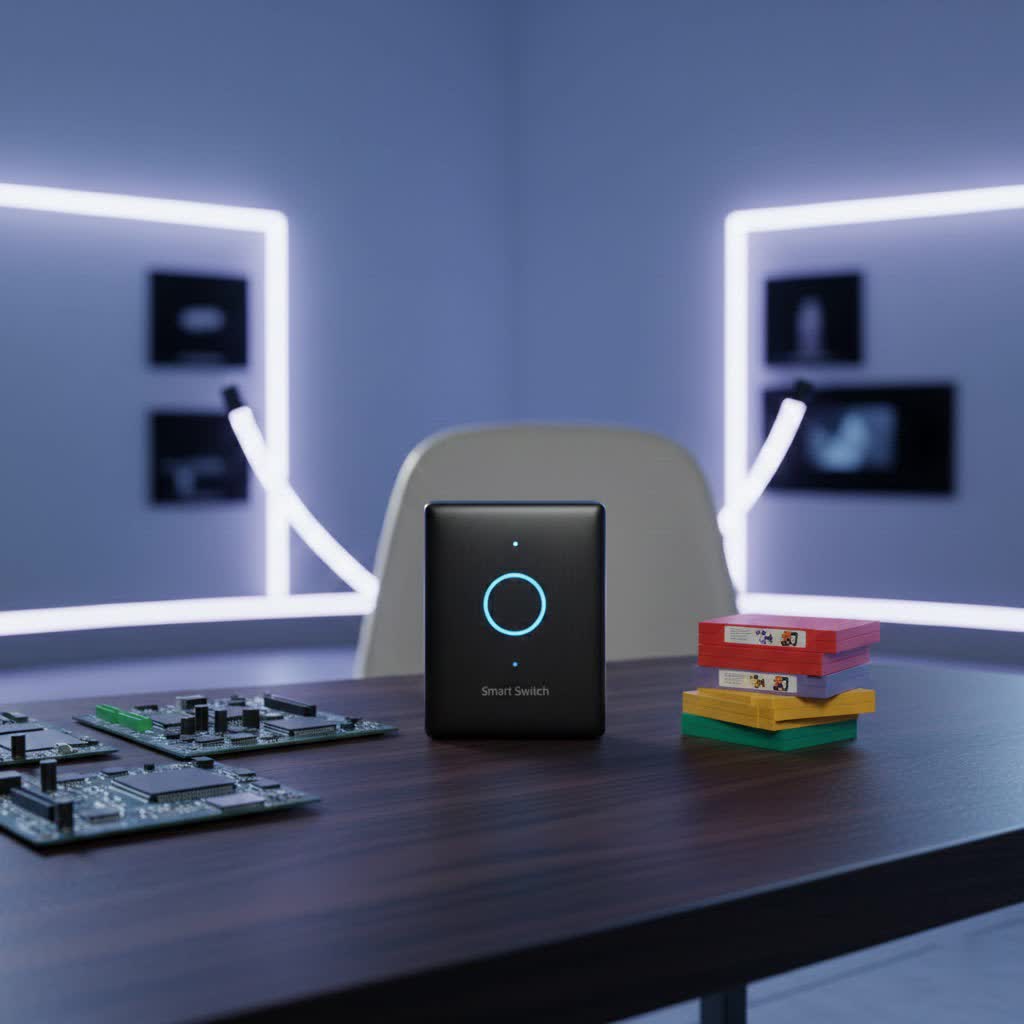
Understanding Smart Lamp Switches: More Than Just On and Off
So, what exactly is a smart lamp switch? At its core, a smart lamp switch replaces your traditional wall switch, but it comes packed with advanced capabilities that go far beyond a simple on/off function. Unlike smart bulbs, which require you to replace each individual light bulb, a smart lamp switch controls the entire fixture or circuit it’s connected to. This means you can keep your favorite non-smart bulbs and still enjoy all the benefits of intelligent lighting.
The magic happens through connectivity. These switches link up with your home network, allowing you to manage your lights remotely via a smartphone app, integrate with voice assistants like Alexa or Google Assistant, and even set up sophisticated automation routines.
The core benefits of integrating smart lamp switches into your home are clear:
- Unrivaled Convenience: Control your lights from anywhere – whether you’re on the couch, in another room, or miles away. No more stumbling in the dark or worrying if you left the lights on.
- Enhanced Energy Efficiency: Smart switches help you save energy and reduce electricity bills. Features like motion sensors, occupancy detection, and customizable schedules ensure lights are only on when needed. Dimming capabilities further optimize energy use.
- Improved Home Security: Make your home appear occupied even when you’re away by programming lights to turn on and off randomly. This simple yet effective trick can deter potential intruders.
- Personalized Ambiance: Adjust brightness levels, create custom lighting scenes for different moods (movie night, reading, dinner party), and truly tailor your home’s atmosphere with ease.
- Accessibility: For those with mobility challenges, voice control and remote access offer a significant boost in independence and comfort.
The World of Smart Lamp Switches: Types and Connectivity
Choosing the right smart lamp switch involves understanding the different types and how they communicate. Each has its own strengths, making it crucial to pick the one that best suits your home and smart ecosystem.
Wi-Fi Smart Switches
|
Our Picks for the Best Smart Switch in 2026
As an Amazon Associate I earn from qualifying purchases.
|
||
| Num | Product | Action |
|---|---|---|
| 1 | Kasa Smart Switch 2-Gang HS200-2, Single Pole,Neutral Wire Required, 2.4GHz Wi-Fi Light Switch Compatible with Alexa and Google Home, UL Certified, No Hub Required, White |

|
| 2 | Kasa Matter Smart Light Switch: Voice Control w/Siri, Alexa & Google Assistant, UL Certified, Timer & Schedule, Easy Guided Install, Neutral Wire Required, Single Pole, 2.4GHz Wi-Fi, 3-Pack |
|
| 3 | Leviton Decora Smart Switch, Wi-Fi 2nd Gen, Neutral Wire Required, Works with Matter, Alexa, Google Assistant, Apple Home/Siri & Wired or Wirefree 3-Way, D215S-1RW, White |
|
| 4 | HALO Pure Smart Wi-Fi Dimmer Switch for Traditional Non-Smart Lighting, Connected by WiZ Pro, Hardwired 120V - SWW-DIM-WH |
|
| 5 | TREATLIFE Smart Light Switch Single Pole Works with Alexa, Google Home and SmartThings, 2.4GHz WiFi Timer Smart Switch, Neutral Wire Required, No Hub Required, FCC Listed, 4 Pack |
|
| 6 | GHome Smart Switches for Lights, WiFi Smart Light Switch Works with Alexa and Google Home, Single-Pole, Neutral Wire Required, 2.4Ghz WiFi Light Switch with APP Control, No Hub Required, UL FCC Listed |
|
| 7 | Kasa Smart Light Switch HS200P3, Single Pole, Needs Neutral Wire, 2.4GHz Wi-Fi Light Switch Compatible with Alexa and Google Home, UL Certified, No Hub Required, 3 Count -Pack of 1 , White |
|
| 8 | Kasa Smart Dimmer Switch HS220P3, Single Pole, Needs Neutral Wire, 2.4GHz Wi-Fi Light Switch Works with Alexa and Google Home, UL Certified,, No Hub Required, 3-Pack |
|
| 9 | Lutron Caseta 3 Way Smart Dimmer Light Switch Kit, Includes Pico Remote, Bracket, and LED Dimmer Switch, No Neutral Required, P-PKG1WB-WH |
|
| 10 | GHome Smart Switch, 3 Way Wi-Fi Light Switch Compatible with Alexa and Google Home, 2.4GHz Schedule Timer, Neutral Wire Required, 3-Way Installation, FCC Listed (4-Pack), White |
|
These are arguably the most popular and straightforward. Wi-Fi smart switches connect directly to your home Wi-Fi network, often eliminating the need for a separate hub. They are controlled via a manufacturer’s app and integrate easily with major smart home platforms. Most Wi-Fi switches operate on the 2.4GHz band, so ensure your router is configured accordingly during setup.
Bluetooth Smart Switches
Bluetooth switches connect directly to your smartphone or tablet. While simple to set up and ideal for controlling individual lights in close proximity without needing a Wi-Fi network, their range is limited, and they typically lack broader smart home integration capabilities.
Zigbee & Z-Wave Smart Switches
For larger smart homes or users seeking a dedicated, robust network, Zigbee and Z-Wave switches are excellent choices. These low-power mesh network protocols require a dedicated hub (like a SmartThings hub or a Home Assistant setup with a compatible dongle) to translate commands. They are known for their reliability, scalability, and ability to create a network where devices relay signals to each other, extending coverage throughout your home.
Key Considerations When Choosing Your Smart Lamp Switch:
- Neutral Wire Requirement: Many smart lamp switches require a neutral wire in the electrical box to power their internal electronics. Older homes (pre-1980s) often lack neutral wires at the switch box. If you don’t have one, look for “no-neutral wire” compatible switches, such as certain Lutron Caseta or GE Cync models, which draw power differently.
- Single-Pole vs. Multi-Pole:
- Single-pole switches control a light from a single location.
- Multi-pole (3-way or 4-way) switches control a single light fixture from two or more locations (e.g., at the top and bottom of a staircase). Ensure your chosen smart switch explicitly supports multi-pole configurations if needed.
- Dimmer vs. On/Off: Decide if you need dimming functionality. Smart dimmer switches allow you to adjust light brightness, while on/off switches simply turn lights on and off.
- Aesthetics and Features: Smart switches come in various designs (paddle, rocker, touch-sensitive) and may offer extra features like motion sensing or built-in night lights.
“Smart lamp switches are the foundational layer of truly intelligent home lighting. They empower homeowners not just with convenience, but with the ability to precisely tailor their environment, ensuring comfort, security, and efficiency. It’s about taking control of your light, rather than just flipping a switch.” – Dr. Evelyn Reed, Lead Smart Home Architect at QMSIT.
Step-by-Step Installation: Bringing Your Smart Lamp Switch to Life
Installing a smart lamp switch might seem daunting, but for anyone comfortable with basic DIY electrical work, it’s a straightforward process. Remember, safety is paramount when working with electricity.
Safety First!
Before you touch any wiring, ALWAYS turn off the power to the light switch at your main circuit breaker. It’s a non-negotiable step. Double-check by trying to turn on the light; if it stays off, you’re safe to proceed.
Tools You’ll Need:
- Screwdriver (Phillips and flathead)
- Wire stripper/cutter
- Voltage tester (non-contact is ideal for safety)
- Wire nuts or lever-lock connectors
- Electrical tape (optional, for labeling)
Identifying Wires: The Four Horsemen of Wiring
Inside your switch box, you’ll typically find these wires:
- Line (Hot) Wire: This brings power from the electrical panel to the switch. It’s usually black.
- Load Wire: This sends power from the switch out to the light fixture. It can be black or red.
- Neutral Wire: This completes the circuit, bringing electricity back to the electrical panel. It’s usually white (and often bundled with other white wires). Many smart switches require this.
- Ground Wire: A crucial safety wire, typically bare copper or green, connecting to the metal box or a ground screw.
If you are unsure about identifying your wires, or if your home lacks a neutral or ground wire and you’re not using a compatible switch, it’s always best to consult a qualified electrician.
The Installation Process:
- Prepare the Area: With the power off, carefully remove the faceplate of your existing switch, then unscrew the switch from the wall box. Gently pull the switch out.
- Disconnect the Old Switch: Disconnect the wires from your old switch. If you’re new to this, take a photo or label each wire (Line, Load, Neutral, Ground) with electrical tape before disconnecting, especially if your wires aren’t color-coded traditionally.
- Wire Connections: Your new smart lamp switch will have terminals or pigtail wires. Connect the wires from your wall to the corresponding wires/terminals on the smart switch. Use wire nuts or lever-lock connectors to ensure secure connections.
- Connect the ground wire (bare copper/green) to the smart switch’s ground terminal.
- Connect the neutral wire (white) to the smart switch’s neutral terminal (if required). If you have a bundle of neutral wires in the box, you may need to add a pigtail (a short piece of wire) from the bundle to the switch.
- Connect the line (hot) wire to the smart switch’s line terminal.
- Connect the load wire to the smart switch’s load terminal.
- Mounting the New Switch: Smart switches are often bulkier than traditional ones, so carefully fold the wires into the electrical box. Gently push the new switch into the box until it’s flush, then screw it into place. Ensure it’s level.
- Power On and Initial Test: Reattach the faceplate. Return to your circuit breaker and turn the power back on. Test your smart lamp switch manually. The lights should turn on and off. If there’s a locator light on the switch, it should illuminate.
Connecting to Your Smart Home App:
- Download the App: Download the manufacturer’s dedicated app for your smart switch (e.g., Kasa, Lutron Caseta, Leviton Decora).
- Create an Account: Follow the app’s instructions to create a user account.
- Connect to Wi-Fi: Most smart switches will prompt you to connect to your home’s 2.4GHz Wi-Fi network. Ensure your phone is connected to this network during the pairing process.
- Configure and Test: Once connected, you can name your switch, assign it to a room, set schedules, and integrate it with your voice assistant (Alexa, Google Assistant, HomeKit). Test all functionalities to ensure everything works as expected.
Troubleshooting Your Smart Lamp Switch: Common Hiccups and Solutions
Even the most advanced smart tech can have its moments. Here are some common issues you might encounter with your smart lamp switch and how to fix them.
“My Smart Lamp Switch Isn’t Connecting to Wi-Fi!”
This is a frequent concern. Your smart lamp switch needs a stable Wi-Fi connection to function remotely.
- Weak Signal: Is your router too far from the switch? Try moving your router closer or investing in a Wi-Fi extender.
- Incorrect Network: Many smart switches only support 2.4GHz Wi-Fi networks. Ensure your router is broadcasting a 2.4GHz band and that your phone is connected to it during setup.
- Wrong Password/Interference: Double-check your Wi-Fi password. Other devices like microwaves or Bluetooth speakers can cause interference; try temporarily moving them away.
- Solution: Restart your router, then restart your smart switch (by toggling the circuit breaker off and on). If issues persist, try factory resetting the switch and re-pairing it through the app.
“The Lights Are Flickering When I Use My Smart Switch.”
Flickering lights can be annoying and indicate several problems.
- Incompatible Bulbs: Ensure you’re using dimmable LED bulbs (if it’s a dimmer switch) that are compatible with smart switches. Some older LEDs can flicker with smart dimmers.
- Loose Wiring: Turn off the power and re-check the wiring connections in the switch box. Loose wires are a common culprit.
- Incompatible Wattage: Verify that your light bulb’s wattage is within the smart switch’s rated capacity.
- Power Fluctuations: If the issue persists across multiple fixtures, you might have unstable voltage in your home, which may require a professional electrician to diagnose.
- Solution: Replace bulbs with known compatible ones. Re-seat and tighten all wire connections.
“My Smart Lamp Switch Isn’t Responding to Voice Commands.”
If Alexa or Google Assistant aren’t listening, here’s what to check.
- App & Assistant Sync: Ensure your smart switch app is linked correctly to your voice assistant app (Alexa, Google Home). Check the integration settings in both applications.
- Microphone Issues: Verify your voice assistant device’s microphone is enabled and not muted.
- Internet Connection: A stable internet connection is crucial for voice commands to reach your switch via the cloud.
- Solution: Update both the smart switch app and your voice assistant app. Try unlinking and relinking the smart switch service within your voice assistant app. Resetting the smart switch can also help.
“My Smart Switch Isn’t Controlling All Connected Lights.”
Sometimes, a switch may only partially work or fail to control all lights in a multi-light fixture.
- Multiple Apps: While some smart devices can connect to multiple platforms, using a single, dedicated app for primary control often prevents conflicts.
- Hardware Defect: In rare cases, there might be a hardware defect with the switch itself, especially if troubleshooting all other steps yields no results.
- Solution: Consolidate control to one primary app. If the problem persists, contact the manufacturer’s support; it might be a faulty unit.
Integrating Your Smart Lamp Switch with Other Smart Home Systems
The true power of smart lamp switches shines when they integrate seamlessly with your broader smart home ecosystem.
Seamless Control with Voice Assistants
Most smart lamp switches are designed to work out-of-the-box with popular voice assistants like Amazon Alexa, Google Assistant, and Apple HomeKit. After linking the switch’s native app to your preferred assistant, you can simply use voice commands: “Alexa, turn on the living room lights” or “Hey Google, dim the kitchen lights to 50%.” This hands-free control adds a layer of convenience that quickly becomes indispensable.
Advanced Automation with Home Assistant
For the advanced smart home enthusiast, platforms like Home Assistant offer unparalleled customization. Integrating your smart lamp switches into Home Assistant allows you to create complex automations based on presence detection, motion, time of day, weather, or even the state of other devices.
A common challenge for Home Assistant users is when a physical smart switch cuts power to smart bulbs, making the bulbs “offline” and uncontrollable by Home Assistant. This is where a clever approach called “decoupled mode” or using smart relays comes in:
- Decoupled Mode: Some advanced smart switches (like those from Aqara or Inovelli) offer a “decoupled mode.” In this mode, the physical button press on the wall switch no longer directly cuts power to the light. Instead, it sends a signal to your smart home hub (e.g., Home Assistant), which then “tells” the smart bulb to turn on or off, ensuring the bulb always has power and remains “smart.”
- Smart Relays (e.g., Shelly): Another excellent solution for Home Assistant is to use smart relays installed behind your existing “dumb” switches. These relays smarten up any traditional switch, providing local control and integration with Home Assistant, often without needing a cloud connection. This allows you to retain the look of your existing switches while gaining smart capabilities, including the ability to keep power to smart bulbs constant and use the physical switch merely as a trigger for Home Assistant automations.
With these integrations, your smart lamp switches become integral parts of intelligent routines, from lights softly fading on with your alarm in the morning to porch lights automatically illuminating as you approach your home in the evening.
Top Smart Lamp Switch Picks for a Brighter 2025
The smart lamp switch market is constantly evolving, with new innovations and improved compatibility emerging regularly. Here are some top contenders widely recognized for their performance, features, and reliability as of late 2025:
- Kasa Smart Light Switch (TP-Link): Often lauded as the “best overall” for its ease of installation, competitive price, and broad compatibility with major smart home ecosystems. Kasa switches often support Matter, offering future-proof integration, and some models even feature local control, meaning your lights can still be controlled even if your internet goes down.
- Lutron Caseta Wireless Smart Lighting Dimmer Switch: A long-standing favorite, especially for homes without a neutral wire. Lutron Caseta is renowned for its rock-solid reliability, fast response times, and extensive compatibility with Alexa, Google Assistant, and Apple HomeKit, though it does require a proprietary Smart Bridge.
- GE Cync Smart Dimmer Light Switch: Another strong contender for older homes, many GE Cync switches do not require a neutral wire and connect directly to your Wi-Fi network without a separate hub. They integrate well with Alexa and Google Assistant.
- Leviton Decora Smart Wi-Fi Switch: Offering a sleek, modern design, Leviton’s Decora Smart line provides Wi-Fi-enabled control without a hub and supports Alexa, Google Assistant, and Apple HomeKit. They are known for advanced scheduling options and robust performance.
- Wemo Wi-Fi Smart Light Switch: A user-friendly and budget-conscious choice, Wemo switches are easy to install and offer features like an “Away Mode” to simulate occupancy for security.
- Shelly Relays: While not a “switch” in the traditional sense, Shelly relays are a fantastic option for Home Assistant users. These tiny modules can be installed behind existing dumb switches, effectively making them smart and offering full local control, making them a favorite for advanced DIYers.
When making your selection, always consider your specific wiring (especially neutral wire presence), desired features (dimming, motion sensing), and compatibility with your existing smart home ecosystem.
Frequently Asked Questions (FAQ)
Q: Do smart lamp switches save energy?
A: Absolutely! Smart lamp switches contribute significantly to energy savings by allowing you to set schedules, use motion/occupancy sensors to ensure lights are off when rooms are empty, and utilize dimming functions to reduce power consumption. Many apps even provide energy monitoring reports.
Q: Can I install a smart lamp switch myself?
A: Yes, if you have basic electrical knowledge and are comfortable working with household wiring, you can typically install a smart lamp switch yourself. However, always prioritize safety by turning off power at the breaker, and consult an electrician if you’re unsure or uncomfortable with any step.
Q: What’s the difference between a smart lamp switch and a smart bulb?
A: A smart lamp switch replaces your wall switch and controls any light fixture connected to it, allowing you to use existing “dumb” bulbs. A smart bulb, on the other hand, is an individual bulb with built-in smart technology. While smart bulbs offer features like color changing, smart switches provide control over an entire circuit and ensure consistent power to smart bulbs if used together.
Q: Do I need a neutral wire for a smart lamp switch?
A: Most smart lamp switches require a neutral wire to provide constant power to their internal smart components. However, specific “no-neutral wire” compatible models are available from brands like Lutron Caseta and GE Cync, making them suitable for older homes. Always check product specifications carefully.
Q: Can smart lamp switches work with older homes?
A: Yes, smart lamp switches can work in older homes. The primary consideration is the presence of a neutral wire. If your older home’s electrical boxes lack a neutral wire, you’ll need to choose a smart switch specifically designed for no-neutral wire setups.
Q: What is a 3-way smart lamp switch?
A: A 3-way smart lamp switch (or multi-pole switch) is designed to control a single light fixture from two or more different locations. For example, lights in a hallway controlled by switches at both ends. If you have such a setup, you’ll need a smart switch model that explicitly supports 3-way (or 4-way) configurations.
Conclusion
Embracing the convenience and efficiency of a smart lamp switch is one of the most impactful upgrades you can make to your home. From effortless remote control and voice commands to advanced automation that adapts to your life, these intelligent devices offer a level of comfort and security that traditional switches simply can’t match. We hope this guide from QMSIT has illuminated your path to a smarter home. Don’t hesitate to explore our website for more in-depth guides and product reviews, and share your smart lighting experiences with our growing community – because a smarter home truly is a brighter home!
