Are you ready to transform your ordinary home into an intelligent living space? The journey often begins with a seemingly simple yet profoundly impactful device: the Smart Light Switch. Forget fumbling for switches in the dark or worrying if you left the lights on. A smart light switch brings unparalleled convenience, energy efficiency, and a touch of modern sophistication right to your fingertips. As someone who’s spent over a decade knee-deep in smart home tech, I can tell you, this little gadget is a game-changer. Let’s dive into everything you need to know to illuminate your life smarter, not harder.
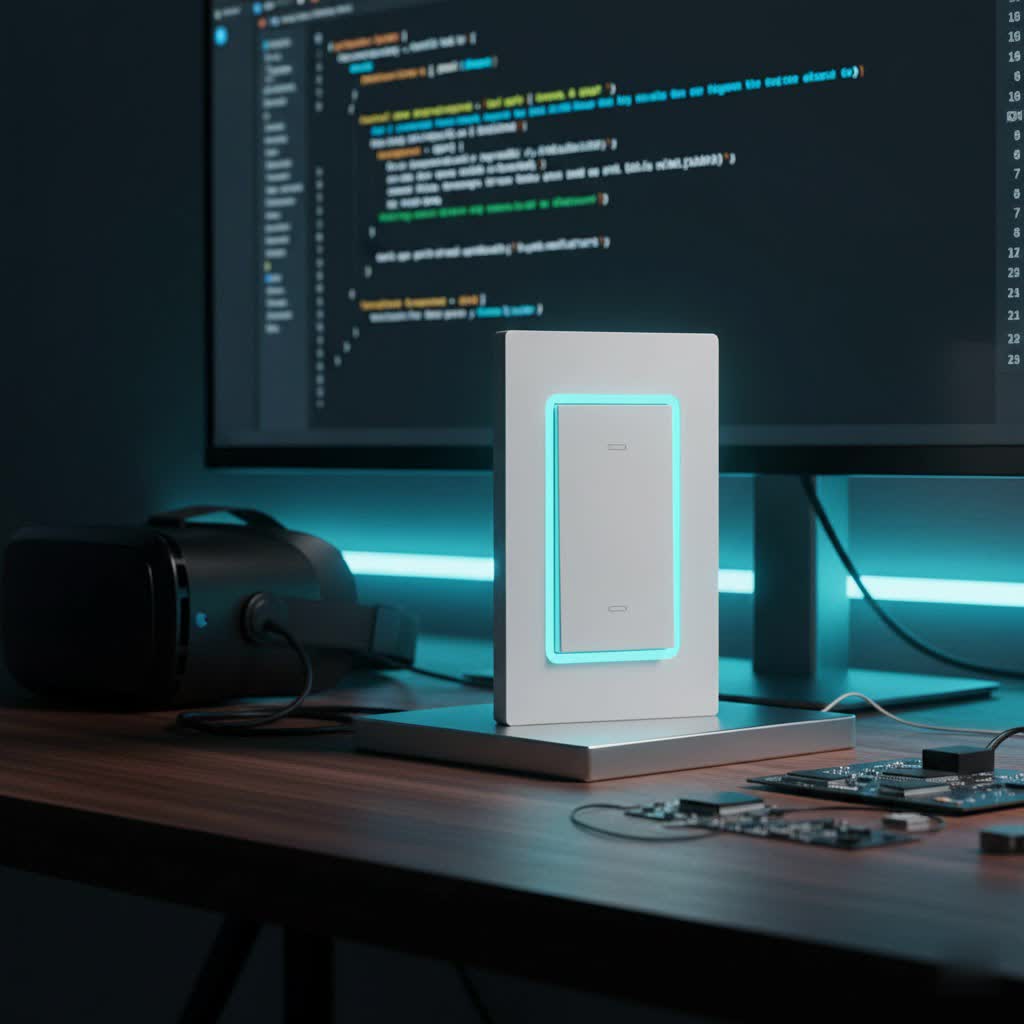
What is a Smart Light Switch and Why You Need One
At its core, a smart light switch replaces your traditional wall switch, but with a crucial upgrade: connectivity. Instead of just turning lights on and off manually, a smart light switch connects to your home’s network, allowing you to control your lighting remotely via a smartphone app, voice commands through a smart assistant like Alexa or Google Home, or even through automated schedules.
Why should you consider making the switch? The benefits are abundant:
- Unrivaled Convenience: Imagine turning off all the lights from your bed with a single voice command, or making sure the entryway is lit before you even step through the door. Remote control and voice activation free you from the physical act of flipping a switch.
- Enhanced Energy Efficiency: Smart switches allow you to schedule lights to turn off when you’re not home, dim them for ambient lighting, or even integrate with motion sensors. This intelligent control helps reduce unnecessary power consumption, ultimately saving you money on your electricity bills.
- Boosted Home Security: Heading out of town? Program your lights to turn on and off randomly, mimicking occupancy and deterring potential intruders. It’s a simple yet effective way to add a layer of security.
- Personalized Ambiance: Adjusting brightness and creating custom lighting scenes for different moods or activities becomes effortless. From a bright work environment to a cozy movie night, your lighting adapts to your life.
“Smart light switches aren’t just about controlling lights; they’re about orchestrating your home’s atmosphere with precision and ease, making every moment more intuitive,” says Daniel Nguyen, Lead Smart Home Architect at QMSIT.
Understanding the Different Types of Smart Light Switches
Just like there isn’t one-size-fits-all in smart homes, there are several types of smart light switches, each with its own communication protocol. Understanding these will help you choose the best fit for your home and existing smart ecosystem.
Wi-Fi Smart Light Switches
These are perhaps the most common and easiest to set up, as they connect directly to your home’s Wi-Fi network.
- Pros: No separate hub is usually required, making them a cost-effective entry point into smart lighting. They offer quick setup and direct control via an app.
- Cons: Rely heavily on your home Wi-Fi network. If you have many Wi-Fi devices, it can sometimes strain your network, and a weak Wi-Fi signal can lead to connectivity issues. Many require a 2.4GHz network, so ensure your router supports this.
|
Our Picks for the Best Smart Switch in 2026
As an Amazon Associate I earn from qualifying purchases.
|
||
| Num | Product | Action |
|---|---|---|
| 1 | HALO Pure Smart Wi-Fi Dimmer Switch for Traditional Non-Smart Lighting, Connected by WiZ Pro, Hardwired 120V - SWW-DIM-WH |

|
| 2 | Leviton Decora Smart Switch, Wi-Fi 2nd Gen, Neutral Wire Required, Works with Matter, Alexa, Google Assistant, Apple Home/Siri & Wired or Wirefree 3-Way, D215S-1RW, White |
|
| 3 | Kasa Matter Smart Light Switch: Voice Control w/Siri, Alexa & Google Assistant, UL Certified, Timer & Schedule, Easy Guided Install, Neutral Wire Required, Single Pole, 2.4GHz Wi-Fi, 3-Pack |
|
| 4 | TREATLIFE Smart Light Switch Single Pole Works with Alexa, Google Home and SmartThings, 2.4GHz WiFi Timer Smart Switch, Neutral Wire Required, No Hub Required, FCC Listed, 4 Pack |
|
| 5 | GHome Smart Switch, 3 Way Wi-Fi Light Switch Compatible with Alexa and Google Home, 2.4GHz Schedule Timer, Neutral Wire Required, 3-Way Installation, FCC Listed (4-Pack), White |
|
| 6 | Kasa Smart Switch 2-Gang HS200-2, Single Pole,Neutral Wire Required, 2.4GHz Wi-Fi Light Switch Compatible with Alexa and Google Home, UL Certified, No Hub Required, White |
|
| 7 | GHome Smart Switches for Lights, WiFi Smart Light Switch Works with Alexa and Google Home, Single-Pole, Neutral Wire Required, 2.4Ghz WiFi Light Switch with APP Control, No Hub Required, UL FCC Listed |
|
| 8 | Lutron Caseta 3 Way Smart Dimmer Light Switch Kit, Includes Pico Remote, Bracket, and LED Dimmer Switch, No Neutral Required, P-PKG1WB-WH |
|
| 9 | Kasa Smart Light Switch HS200P3, Single Pole, Needs Neutral Wire, 2.4GHz Wi-Fi Light Switch Compatible with Alexa and Google Home, UL Certified, No Hub Required, 3 Count -Pack of 1 , White |
|
| 10 | Kasa Smart Dimmer Switch HS220P3, Single Pole, Needs Neutral Wire, 2.4GHz Wi-Fi Light Switch Works with Alexa and Google Home, UL Certified,, No Hub Required, 3-Pack |
|
Zigbee Smart Light Switches
Zigbee is a wireless mesh network protocol often favored for its reliability and lower power consumption.
- Pros: Creates a robust mesh network, meaning devices can relay signals to each other, extending range and improving reliability. Excellent for large homes. Lower power consumption makes them efficient.
- Cons: Typically requires a dedicated Zigbee hub or a compatible smart home hub (like an Amazon Echo Plus or Samsung SmartThings) to communicate with your home network and other devices.
Z-Wave Smart Light Switches
Similar to Zigbee, Z-Wave also operates on a mesh network, but typically uses a different radio frequency.
- Pros: Known for strong security features and less interference from Wi-Fi networks due to its distinct frequency. Also excellent for building a reliable mesh network across larger areas.
- Cons: Also requires a Z-Wave compatible hub to function as part of your smart home system.
Bluetooth Smart Light Switches
Some smart light switches use Bluetooth for direct communication with your smartphone or tablet.
- Pros: Very simple to set up and ideal for controlling a single light or a small group of lights within close proximity to your device. No hub required.
- Cons: Limited range compared to Wi-Fi or mesh protocols, meaning you typically need to be in the same room to control the lights. Less suitable for whole-home automation.
Key Considerations Beyond Connectivity
When choosing your smart light switch, you’ll also encounter specific features and requirements:
- Neutral Wire: This is crucial! Most smart light switches require a neutral wire for constant power, even when the light is off. Many homes built before the 1980s might lack neutral wires in switch boxes, which means you’ll need to look for “no-neutral” compatible switches (like some Lutron Caseta or GE Cync models) or consider hiring an electrician to run one.
- Dimming Capabilities: Do you want to adjust brightness? Many smart light switches offer dimming features, transforming regular bulbs into dimmable ones (though LED compatibility is key for flicker-free performance).
- 3-Way and Multi-Way Switches: If more than one switch controls a single light (common in hallways or large rooms), you’ll need a “3-way” or “multi-way” compatible smart switch solution, which often involves a main smart switch and an accessory switch or remote.
Your Step-by-Step Guide to Smart Light Switch Installation
Installing a smart light switch might seem daunting, but for most DIY enthusiasts, it’s a straightforward process, much like replacing a traditional switch. However, if you’re ever unsure about electrical work, always consult a licensed electrician. Safety is paramount!
Tools You’ll Need:
- Screwdriver (Phillips and flathead)
- Needle-nose pliers
- Wire strippers
- Wire connectors (wire nuts)
- Voltage tester (non-contact is best for safety)
- Electrical tape
- Flashlight or headlamp
Step 1: Safety First – Turn Off the Power!
Go to your main electrical panel (breaker box) and locate the circuit breaker that controls the light switch you’re replacing. Flip it to the “OFF” position. To double-check, try turning the light on from the existing switch; if it doesn’t illuminate, you’ve hit the right breaker. Never skip this step.
Step 2: Remove the Old Switch
Carefully remove the faceplate of the old light switch. Then, unscrew the two screws holding the switch to the wall box. Gently pull the switch out of the box, but do not disconnect any wires yet.
Step 3: Identify and Disconnect Wires
This is where labeling comes in handy. You’ll typically see a few wires:
- Line Wire (Hot): Usually black, bringing power from the breaker. Use your voltage tester to confirm no power is present before touching.
- Load Wire: Often black or red, carrying power to the light fixture.
- Neutral Wire: Usually white (or a bundle of white wires), provides a return path for the current, essential for most smart switches.
- Ground Wire: Typically bare copper or green, for safety.
- Traveler Wires: (Only for 3-way/multi-way switches) Often red or black, these communicate between the switches controlling the same light.
Label each wire as you disconnect it from the old switch. This is crucial for proper installation of your new smart light switch.
Step 4: Connect the New Smart Switch
Your new smart light switch will have terminals or pigtail wires matching these connections. Follow the manufacturer’s wiring diagram precisely.
- Connect the Ground wire to the green or bare copper screw/wire on the smart switch.
- Connect the Neutral wire (often a white pigtail from the switch) to the neutral bundle in the wall box, securing with a wire nut.
- Connect the Line wire to the designated “Line” terminal/wire on the smart switch.
- Connect the Load wire to the designated “Load” terminal/wire on the smart switch.
- For 3-way switches, follow the specific instructions for connecting traveler wires to your smart switch and any accessory switches.
Ensure all connections are tight and secure, with no exposed copper.
Step 5: Secure and Test
Carefully push the newly wired smart switch back into the electrical box. Smart switches can be a bit bulkier than traditional ones, so take your time. Screw the switch securely into the wall box and attach the new faceplate.
Now, return to your breaker box and restore power. Head back to the switch and manually test it. If the light turns on and off, you’re good to go for the digital setup!
Step 6: App Setup and Wi-Fi Connection
Download the manufacturer’s app for your smart light switch on your smartphone. Follow the in-app instructions to connect the switch to your home Wi-Fi network. Remember, most smart switches prefer a 2.4GHz Wi-Fi connection during initial setup. Once connected, you can often customize settings, set schedules, and link it to your voice assistant.
Common Smart Light Switch Problems and How to Fix Them
Even the most advanced smart light switch can occasionally encounter a hiccup. Don’t panic! Many common issues have straightforward solutions.
1. Smart Light Switch Not Connecting to Wi-Fi or Frequent Disconnection
This is probably the most common complaint.
- Check Wi-Fi Band: Most smart light switches require a 2.4GHz Wi-Fi network for initial setup and sometimes for ongoing operation. Ensure your phone is connected to the 2.4GHz band during setup.
- Router Position & Signal Strength: Is your router too far from the switch, or are there thick walls causing interference? Consider relocating your router or using a Wi-Fi extender.
- Interference: Other devices (cordless phones, microwaves) can interfere with Wi-Fi signals. Try moving them away.
- Restart Everything: A simple router and modem restart can often resolve connectivity issues. Then, try resetting the smart switch (usually by holding a button for a few seconds as per manufacturer instructions) and reconnecting it through the app.
- Too Many Devices: An overloaded Wi-Fi network can cause slow speeds and disconnections. Disconnect unused devices.
2. Smart Light Switch Not Responding to Commands
If your switch isn’t doing what you tell it to:
- Check Power: Confirm the circuit breaker hasn’t tripped and the switch has power (look for an indicator light).
- Manual Test: Can you operate the light manually using the switch itself? If not, there might be a wiring issue or a faulty switch.
- App & Firmware Updates: Ensure your smart switch app is updated to the latest version. Outdated firmware on the switch itself can also cause problems; check the app for firmware updates.
- Voice Assistant Integration: If using Alexa or Google Assistant, check their respective apps to ensure the switch is still linked and enabled. Try re-syncing devices.
- Reset: A factory reset of the switch, followed by re-setup, can often clear software glitches.
3. Lights Flickering with a Smart Light Switch
Flickering lights can be annoying and unsettling.
- Bulb Compatibility: Ensure you are using dimmable LED bulbs (if it’s a dimmer switch) that are compatible with smart switches. Not all LEDs play nicely with all dimmers.
- Loose Wiring: Go back to basics. Turn off the power and double-check all wire connections at the switch. Loose connections are a frequent culprit.
- Power Fluctuations: In rare cases, unstable voltage in your home could cause flickering. If other electrical devices also show issues, consult an electrician.
- Minimum Load: Some smart dimmers have a minimum wattage requirement. If your LED bulbs consume very little power, you might need a dimmer bypass or a different switch.
4. App-Related Issues
When the app isn’t cooperating:
- Internet Connection: Ensure your phone has a stable internet connection.
- App Refresh/Reinstall: Close and reopen the app. If that doesn’t work, clear the app cache or uninstall and reinstall the app.
- Switch Status: Check if the switch appears “online” in the app. If not, follow the Wi-Fi troubleshooting steps above.
- Server Issues: Occasionally, the manufacturer’s cloud servers might be down. Check their website or social media for announcements.
Seamless Integration: Connecting Your Smart Light Switch to Your Smart Home Ecosystem
The real magic of a smart light switch happens when it integrates with your broader smart home system. This allows for powerful automation and unified control.
1. Check Compatibility
Before purchasing, always verify that the smart light switch is compatible with your preferred smart home platform (e.g., Amazon Alexa, Google Assistant, Apple HomeKit, Samsung SmartThings, Home Assistant). Most leading brands openly list their compatible ecosystems. The newer Matter standard aims to simplify this, offering universal compatibility for Matter-enabled devices.
2. Pair with Your Hub or Assistant
- Hub-based Systems (Zigbee/Z-Wave): Once your smart switch is physically installed, you’ll typically put your smart home hub into “pairing mode.” Then, follow the switch’s instructions to put it into pairing mode, and the hub will discover it.
- Wi-Fi Switches: After the switch is connected to your home Wi-Fi via its dedicated app, you’ll usually link the switch manufacturer’s account to your Alexa, Google Home, or HomeKit account through their respective apps. This allows the smart assistant to “discover” and control your lights.
3. Create Routines and Automations
With your smart light switch integrated, you can unleash its full potential:
- Schedules: Set lights to turn on at sunset, or slowly brighten in the morning for a gentle wake-up call.
- Scenes: Create custom lighting presets for different activities – “Movie Night” might dim the lights and turn on accent lighting.
- Event-Triggered Automation: Link your smart light switch to other smart devices. For example, lights could turn on when a motion sensor detects movement in a hallway, or when your smart door lock registers your arrival home.
Choosing the Right Smart Light Switch: Top Brands and Features
With so many options, how do you pick the best smart light switch for your home? Consider these factors:
- Your Wiring Situation: Do you have neutral wires? If not, prioritize “no-neutral” options like certain Lutron Caseta or GE Cync models.
- Dimming Needs: If you want adjustable brightness, ensure you pick a smart dimmer switch and verify bulb compatibility.
- Smart Home Ecosystem: Stick with brands and protocols that integrate seamlessly with your existing or planned smart home system (e.g., if you’re an Apple HomeKit user, look for HomeKit-compatible switches). Matter-certified devices offer the most future-proof compatibility.
- Motion Sensing: For hands-free convenience in areas like pantries, garages, or hallways, consider switches with built-in motion sensors.
- Aesthetics: Smart light switches come in various designs, from traditional toggle to sleek paddle or touch-sensitive glass. Choose one that matches your home’s décor.
Top Brands to Consider:
- Lutron Caseta: Often hailed as the “best overall,” known for its rock-solid reliability, excellent dimming, and “no-neutral” wire options (though it requires a hub).
- Kasa Smart (by TP-Link): A popular budget-friendly choice that often works directly over Wi-Fi without a hub. They offer reliable switches and dimmers, including Matter-compatible models.
- Leviton Decora Smart: Offers a wide selection of switches, including Wi-Fi, Z-Wave, Zigbee, and HomeKit options, often with a more traditional design. Most require a neutral wire.
- Wemo: Known for HomeKit compatibility and reliable performance, often featuring Thread and Bluetooth connectivity in newer models.
- GE Cync: A strong contender, especially for older homes, offering “no-neutral” wire options and direct Wi-Fi connectivity.
Each brand brings its unique strengths, so assessing your specific needs will guide you to the perfect smart light switch.
Frequently Asked Questions (FAQ)
Do smart light switches need a neutral wire?
Most smart light switches do require a neutral wire to function correctly, as it provides continuous power to the switch’s internal electronics. However, some brands like Lutron Caseta and GE Cync offer specific models designed for homes without neutral wires, though they may sometimes require a hub.
Can I install a smart light switch myself?
Yes, for most basic installations, if you are comfortable with basic electrical work and understand how to safely turn off power and identify wires, you can install a smart light switch yourself by following the manufacturer’s instructions. If you’re unsure at any point, it’s always best to call a qualified electrician.
Smart switch vs. smart bulb: Which is better?
This depends on your goal. A smart light switch makes any attached light fixture smart, allowing you to control existing “dumb” bulbs remotely, schedule them, and use voice commands. This is great for whole-room control. Smart bulbs offer more granular control, like color changing and individual dimming, but require power to the fixture at all times (meaning the physical switch usually needs to stay “on”). If you want to make existing lights smart without replacing bulbs, a smart switch is ideal. For advanced lighting effects and color, smart bulbs might be better.
What if my smart light switch keeps disconnecting?
Frequent disconnections are usually related to your Wi-Fi network. Ensure your smart light switch is within good range of your router, operating on the correct 2.4GHz Wi-Fi band, and not suffering from interference from other devices. Restarting your router, moving it closer, or using a Wi-Fi extender can often resolve the issue. Also, check for any firmware updates for your switch.
Are smart light switches worth it for older homes?
Absolutely! While older homes might require specific “no-neutral” smart light switches or an electrician to add a neutral wire, the benefits of convenience, energy savings, and security are just as valuable, if not more so, in any home. Modern smart switches offer solutions for almost every wiring configuration, making smart lighting accessible to all.
Conclusion
Embracing the convenience and intelligence of a smart light switch is a fantastic first step into the future of home automation. From effortlessly controlling your lighting with a tap or your voice to optimizing energy use and enhancing security, these devices bring tangible benefits that truly elevate your living experience. With a little understanding of the types, a careful approach to installation, and some simple troubleshooting know-how, you’ll be enjoying a smarter, more efficient home in no time. So go ahead, make the switch – your home (and your fingers) will thank you!
