Stepping into the world of smart home technology can feel like unlocking a secret level of convenience and efficiency in your daily life. At the heart of this transformation for many homeowners lies the Smart Switch. Far more than just an on-off button, a smart switch offers unparalleled control over your home’s lighting and connected appliances, fundamentally changing how you interact with your living space. With over a decade of hands-on experience in smart home solutions and as a content creator for QMSIT, I’ve seen these devices evolve from nascent tech to indispensable elements of modern living. This guide is designed to equip you with the knowledge to confidently choose, install, and optimize smart switches, turning your home into a truly intelligent sanctuary.
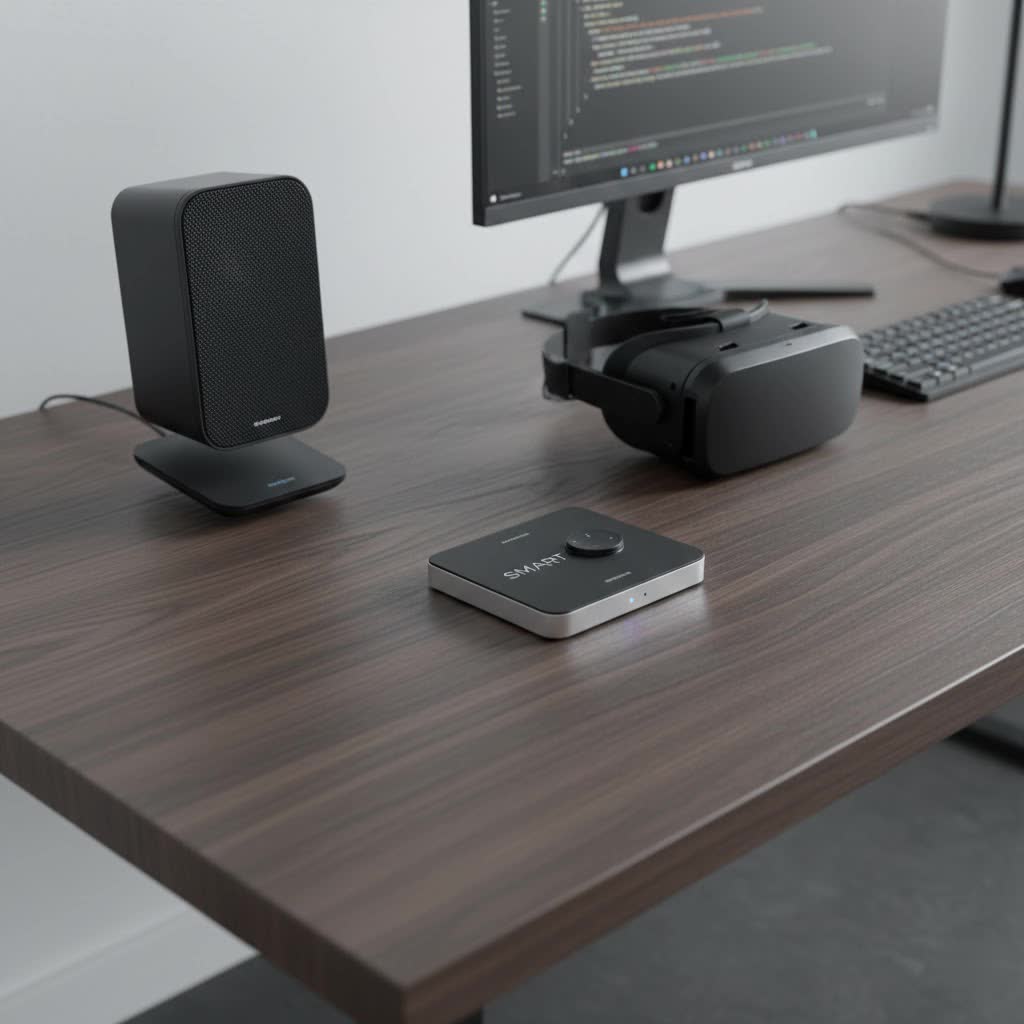
What Exactly is a Smart Switch and Why Does it Matter?
At its core, a smart switch is an upgraded version of your traditional wall switch, engineered to connect to your home’s network. This connectivity allows you to control lights, fans, and other devices not just manually, but also remotely via a smartphone app, through voice commands with virtual assistants like Alexa or Google Assistant, and even automatically based on schedules or other triggers. Think of it as giving your old light switch a brain and a voice, empowering you to manage your home’s electrical systems with unprecedented ease and intelligence.
Unlocking Modern Living: Key Benefits of Smart Switches
The allure of smart switches isn’t just about showing off cool tech; it’s about genuine improvements to your lifestyle.
- Unmatched Convenience: Imagine pulling into your driveway after a long day and your porch lights automatically greet you. Or, being able to turn off all the lights from the comfort of your bed with a simple voice command or a tap on your phone. Smart switches make these scenarios a reality, eliminating the need to physically interact with switches. This level of remote control offers incredible flexibility and ease.
- Significant Energy Efficiency: One of the most compelling advantages of smart switches is their potential for energy savings. You can program lights to turn off automatically when no motion is detected, or schedule them to dim during certain hours. Monitoring energy consumption through an app also provides insights into usage patterns, helping you reduce unnecessary power draw and, consequently, your electricity bills.
- Enhanced Home Security: When you’re away from home, smart switches can be a powerful deterrent against potential intruders. By setting schedules for lights to turn on and off in different rooms, you can create the illusion of occupancy, making your home appear lived-in even when you’re miles away. Some switches can even integrate with security cameras to automatically activate lights if suspicious activity is detected.
- Seamless Integration with Smart Home Ecosystems: Smart switches aren’t solitary devices; they’re team players. They integrate effortlessly with popular smart home platforms like Amazon Alexa, Google Home, Apple HomeKit, and Samsung SmartThings. This allows you to create sophisticated routines where your lights work in harmony with thermostats, smart locks, and other devices, crafting a truly unified smart home experience.
- Customization and Ambiance: Beyond basic on/off control, many smart switches offer dimming capabilities, letting you fine-tune the brightness to set the perfect mood for any occasion—whether it’s a cozy movie night or a vibrant dinner party. You can also create custom “scenes” that adjust multiple lights to predefined settings with a single command.
|
Our Picks for the Best Smart Switch in 2026
As an Amazon Associate I earn from qualifying purchases.
|
||
| Num | Product | Action |
|---|---|---|
| 1 | Lutron Caseta 3 Way Smart Dimmer Light Switch Kit, Includes Pico Remote, Bracket, and LED Dimmer Switch, No Neutral Required, P-PKG1WB-WH |

|
| 2 | Kasa Smart Switch 2-Gang HS200-2, Single Pole,Neutral Wire Required, 2.4GHz Wi-Fi Light Switch Compatible with Alexa and Google Home, UL Certified, No Hub Required, White |
|
| 3 | GHome Smart Switches for Lights, WiFi Smart Light Switch Works with Alexa and Google Home, Single-Pole, Neutral Wire Required, 2.4Ghz WiFi Light Switch with APP Control, No Hub Required, UL FCC Listed |
|
| 4 | GHome Smart Switch, 3 Way Wi-Fi Light Switch Compatible with Alexa and Google Home, 2.4GHz Schedule Timer, Neutral Wire Required, 3-Way Installation, FCC Listed (4-Pack), White |
|
| 5 | Kasa Smart Light Switch HS200P3, Single Pole, Needs Neutral Wire, 2.4GHz Wi-Fi Light Switch Compatible with Alexa and Google Home, UL Certified, No Hub Required, 3 Count -Pack of 1 , White |
|
| 6 | Kasa Matter Smart Light Switch: Voice Control w/Siri, Alexa & Google Assistant, UL Certified, Timer & Schedule, Easy Guided Install, Neutral Wire Required, Single Pole, 2.4GHz Wi-Fi, 3-Pack |
|
| 7 | Kasa Smart Dimmer Switch HS220P3, Single Pole, Needs Neutral Wire, 2.4GHz Wi-Fi Light Switch Works with Alexa and Google Home, UL Certified,, No Hub Required, 3-Pack |
|
| 8 | TREATLIFE Smart Light Switch Single Pole Works with Alexa, Google Home and SmartThings, 2.4GHz WiFi Timer Smart Switch, Neutral Wire Required, No Hub Required, FCC Listed, 4 Pack |
|
| 9 | Leviton Decora Smart Switch, Wi-Fi 2nd Gen, Neutral Wire Required, Works with Matter, Alexa, Google Assistant, Apple Home/Siri & Wired or Wirefree 3-Way, D215S-1RW, White |
|
| 10 | HALO Pure Smart Wi-Fi Dimmer Switch for Traditional Non-Smart Lighting, Connected by WiZ Pro, Hardwired 120V - SWW-DIM-WH |
|
“In my experience, the true magic of a smart switch isn’t just the individual control it offers, but how it orchestrates your home’s environment to perfectly match your rhythm and preferences,” says David Chen, Lead Smart Home Architect at QMSIT.
Navigating the Landscape: Types of Smart Switches
The world of smart switches is diverse, offering various connectivity protocols and functionalities. Understanding these differences is key to choosing the right fit for your home.
Connectivity Protocols: The Language of Your Smart Home
The underlying technology that allows your smart switch to communicate is crucial for its performance and compatibility.
- Wi-Fi Smart Switches: These are perhaps the most common type due to their ease of installation and direct connection to your existing home Wi-Fi network. They often don’t require a separate hub, making them a great entry point for smart home beginners. However, a large number of Wi-Fi devices can sometimes congest your network.
- Zigbee Smart Switches: Utilizing the Zigbee wireless protocol, these switches form a mesh network, where each device can communicate with others, extending the range and reliability. Zigbee devices typically require a dedicated hub to connect to your home network, but they are known for low power consumption and robust performance in larger smart home setups.
- Z-Wave Smart Switches: Similar to Zigbee, Z-Wave also creates a mesh network and requires a hub. It operates on a different radio frequency, which helps minimize interference with Wi-Fi devices. Z-Wave is highly reliable, offers strong security, and is well-regarded for its interoperability among certified devices.
- Bluetooth, Matter, and Thread: Bluetooth switches are great for direct, local control via your phone but often have limited range. Matter and Thread are newer, emerging smart home standards aiming to unify connectivity across different brands and protocols, promising greater compatibility and ease of use in the future.
Functionality Beyond On/Off: Specialized Smart Switches
Beyond their connectivity, smart switches also come with various features tailored to specific needs.
- Dimmer Switches: These smart switches allow you to adjust the brightness of compatible lights, creating ambiance and further enhancing energy savings. They are perfect for living rooms, bedrooms, and dining areas where mood lighting is desired.
- 3-Way and Multi-Way Switches: For areas where a single light fixture is controlled from two or more locations (like staircases or long hallways), you’ll need 3-way or multi-way smart switches. These replace traditional setups to maintain multi-location control within your smart system.
- Motion Sensor Switches: Integrated motion sensors automatically turn lights on when someone enters a room and off after a period of inactivity. They are ideal for hallways, bathrooms, and utility rooms, maximizing energy efficiency and hands-free convenience.
- No-Neutral Switches: Many older homes, particularly those built before the 1980s, may lack a neutral wire in their switch boxes. Traditional smart switches often require a neutral wire to power their internal electronics. No-neutral smart switches are specifically designed to work in these older setups, drawing power through the live wire, though they might have specific bulb compatibility requirements.
Your DIY Journey: Step-by-Step Smart Switch Installation
Installing a smart switch can be a rewarding DIY project, but safety and careful execution are paramount. If you ever feel uncertain, always consult a licensed electrician.
Essential Tools and Safety First
Before you begin, gather these basic tools:
- Flathead and Phillips head screwdrivers
- Wire strippers
- Non-contact voltage tester
- Electrical tape (for labeling)
- Wire nuts (often included with the switch)
Crucial Safety Rule: Always, always turn off the power at your main circuit breaker box before touching any electrical wiring. Confirm the power is off using your non-contact voltage tester on the existing switch’s wires.
The Installation Process
Here’s a general step-by-step guide for installing a single-pole smart switch:
- Safety First: Turn Off Power: Locate your home’s electrical panel (breaker box). Find the breaker that controls the circuit for the switch you’re replacing and flip it to the “off” position. If you’re unsure, turn off the main breaker to cut power to your entire home. Double-check the switch you’re working on with your voltage tester to confirm there’s no live current.
- Remove Old Switch & Identify Wires: Carefully unscrew the existing wall plate and then the old switch from the electrical box. Gently pull the switch out, but don’t disconnect any wires yet. You’ll typically find several wires:
- Line (Hot) Wire: Brings power from the electrical panel (often black, sometimes labeled). Use your voltage tester (with power briefly restored to the circuit, then immediately turned off again) to identify this as the “always-on” wire. Mark it with electrical tape.
- Load Wire: Carries power from the switch to the light fixture or device (often black or red).
- Neutral Wire: Completes the circuit, carrying power back to the panel (usually white, often bundled). Many smart switches require this.
- Ground Wire: A safety wire, typically bare copper or green.
- (For 3-way switches, you’ll also have “traveler” wires connecting the two switches.)
- Prepare Wires: Once wires are identified and labeled, carefully disconnect them from the old switch. If necessary, use wire strippers to expose about ¾ inch of bare copper on each wire end.
- Connect New Smart Switch: Follow your smart switch’s specific wiring diagram. Generally:
- Connect the ground wire from the wall to the smart switch’s ground terminal (often green).
- Connect the neutral wire from the wall bundle to the smart switch’s neutral terminal (often white). If there’s no neutral in your box, you’ll need a no-neutral compatible smart switch.
- Connect the line (hot) wire you identified to the smart switch’s line terminal.
- Connect the load wire to the smart switch’s load terminal.
Use wire nuts to secure connections, twisting them clockwise until tight. Give each wire a gentle tug to ensure it’s secure.
- Secure the Switch: Carefully fold the wires back into the electrical box, being mindful not to crimp or damage them. Smart switches can be bulkier than traditional ones, so take your time. Screw the new smart switch into the wall box and attach the new wall plate.
- Restore Power & Test: Go back to your circuit breaker and turn the power back on. Test the smart switch manually to ensure the connected lights or devices turn on and off correctly.
- Connect to App/Wi-Fi: Download the manufacturer’s companion app to your smartphone. Follow the in-app instructions to connect your new smart switch to your home Wi-Fi network (usually 2.4 GHz) and link it to your chosen smart home platform.
Smooth Sailing: Integrating Your Smart Switch with Your Smart Home
Once your smart switch is physically installed, the next step is to seamlessly integrate it into your wider smart home ecosystem. This is where the real “smart” magic happens.
- Compatibility Check: Before purchasing, always verify that your chosen smart switch is compatible with your preferred smart home platform (e.g., Amazon Alexa, Google Home, Apple HomeKit, Samsung SmartThings, Home Assistant). Most manufacturers clearly state compatibility on their packaging or websites.
- Linking to Hubs/Apps: For Wi-Fi switches, the manufacturer’s app usually handles the direct connection to your home network. For Zigbee or Z-Wave switches, you’ll first need to link them to their respective hub, which then connects to your Wi-Fi and smart home platform. The process typically involves putting the hub in “pairing mode” and then following the switch’s instructions to connect.
- Creating Scenes and Routines: Once integrated, you can start building powerful automations. For example:
- “Good Morning” Scene: Your bedroom lights gently fade on, the thermostat adjusts, and the coffee maker starts brewing.
- “Movie Night” Routine: Dim the living room lights, turn on the TV, and close smart blinds with a single voice command.
- “Away” Automation: All lights turn off, smart locks engage, and random lights periodically turn on/off to simulate occupancy.
When Things Go Sideways: Troubleshooting Common Smart Switch Issues
Even the most advanced technology can encounter a hiccup or two. As a seasoned expert, I’ve seen it all. Here are some common smart switch problems and how to tackle them:
Connectivity Conundrums
- Smart switch not connecting to Wi-Fi:
- Check network: Most smart switches operate on a 2.4 GHz Wi-Fi network. Ensure your router is configured for this, or that you’re trying to connect to the correct network band.
- Signal strength: Is the switch too far from your router? Consider a Wi-Fi extender or moving your router if feasible.
- Interference: Other devices like microwaves, cordless phones, or Bluetooth devices can interfere. Try moving them further away.
- Restart everything: Sometimes a simple restart of your Wi-Fi router and the smart switch (by turning its breaker off and on) can resolve connection issues.
- Correct password: Double-check your Wi-Fi password in the app.
- Reset: If all else fails, perform a factory reset on the smart switch and try the setup process again.
Unresponsive Commands
- Switch not responding to app or voice commands:
- Power check: Ensure the switch has power and the breaker hasn’t tripped.
- Manual test: Can you manually turn the light on/off using the physical button on the switch? If not, there might be a wiring issue.
- App & firmware: Make sure the smart switch’s app is updated to the latest version and check if the switch itself has any pending firmware updates.
- Voice assistant settings: Verify the smart switch is properly linked in your Alexa, Google Home, or HomeKit app.
Flickering Lights & Compatibility
- Lights flickering when using a smart dimmer:
- Bulb compatibility: Not all LED bulbs are dimmable, and some dimmable LEDs are not compatible with all smart dimmers. Always use bulbs specifically labeled “dimmable” and, if possible, check the smart switch manufacturer’s recommended bulb list.
- Loose wiring: Turn off the power and double-check all wire connections at the switch and fixture. Loose connections can cause flickering.
- Minimum load: Some dimmers require a minimum wattage load to function correctly. If you’re using very low-wattage LED bulbs, you might not meet this minimum, leading to flickering.
Rapid Battery Drain (for battery-powered switches or remote controls)
- Unstable network connection: If a battery-powered smart switch (e.g., a wireless scene controller) constantly struggles to connect to your hub or network, its battery will drain much faster. Ensure it has a strong, stable connection.
Smart Switch vs. Smart Dimmer: Which One is Right for You?
While often used interchangeably, there’s a key distinction between a smart switch and a smart dimmer.
- Smart Switch (On/Off): This device provides straightforward control—it either turns a light (or other device) completely on or completely off. It’s ideal for ceiling fans, exhaust fans, kitchen lights, garage lights, or any fixture where you don’t need adjustable brightness. They excel at integrating into broader scenes and triggering other smart home devices.
- Smart Dimmer: This is a specialized type of smart switch designed to adjust the brightness level of compatible lights. Smart dimmers are perfect for living rooms, bedrooms, and dining areas where creating specific ambiances is important. They also offer additional energy savings by allowing you to run lights at lower intensities.
When to choose which:
- Opt for a smart switch if you need simple on/off control for non-dimmable fixtures or appliances, or if you primarily want to trigger smart home routines.
- Go for a smart dimmer if you desire granular control over light brightness, want to create mood lighting, or prioritize maximizing energy savings on dimmable lights.
Remember, dimmer switches must be compatible with your bulbs (especially LEDs) to prevent flickering or damage.
Top Picks for 2024: Brands and Features to Look For
The market is brimming with excellent smart switch options. Based on current trends and consistent performance, here are a few brands and features to consider in 2024:
- Lutron Caseta: Often praised for its exceptional reliability and robust performance, Lutron Caseta offers both switches and dimmers, though it typically requires its own hub. It integrates seamlessly with major smart home platforms.
- TP-Link Kasa Smart: A popular choice for budget-conscious users, Kasa switches are Wi-Fi enabled, often hub-free, and offer solid features like scheduling, energy monitoring, and compatibility with Alexa and Google Assistant.
- Leviton Decora Smart Wi-Fi: These switches offer a sleek design and hub-free Wi-Fi connectivity, making them a great option for those who prefer to keep their smart home setup streamlined. They also provide dimming functionality and customizable LED indicators.
- Jasco/GE Enbrighten (Z-Wave/Zigbee): If you’re building a hub-based Z-Wave or Zigbee network, Jasco’s switches are highly reliable, often feature SimpleWire technology for easier installation, and boast slim profiles that fit well into electrical boxes.
Key buying considerations:
- Neutral Wire Requirement: As discussed, confirm if your switch box has a neutral wire. If not, look for “no-neutral” compatible switches.
- Compatibility: Ensure the switch works with your existing or planned smart home ecosystem.
- Features: Do you need dimming, motion sensing, or 3-way functionality?
- Design: Smart switches come in various finishes and styles to match your home décor.
The QMSIT Perspective: A Decade of Smart Innovation
At QMSIT, we’ve been at the forefront of smart home technology for over 10 years, guiding countless homeowners through the complexities of automating their living spaces. Our mission is to demystify advanced electrical solutions like smart switches, making them accessible and understandable for everyone. We believe that a smart home isn’t just about gadgets; it’s about creating an environment that enhances comfort, security, and efficiency in a way that truly simplifies your life.
Embracing smart switches is a tangible step towards a more intuitive and energy-conscious home. Whether you’re a DIY enthusiast eager to take control of your electrical system or simply looking for ways to make your home work smarter for you, the journey begins here. Explore the possibilities, empower your home, and discover the seamless integration that smart switches bring. For more in-depth guides, troubleshooting tips, and product recommendations, be sure to visit qmsit.com—your trusted resource for all things smart home.
